If you were evaluating the best AI automation tools one year ago, the questions you'd be asking would have looked totally different than the ones you have today. AI is changing fast in 2026, with a massive push towards agentic AI that can take action across your entire tech stack.
Agents have shifted the landscape from AI-as-helper to AI-that-actually-does-the-work, opening up infinite new use cases across all areas of work and life. It's also the lens we used to rank these 11 AI workflow automation platforms in this article. The tools below cover everything from enterprise suites to chat-driven calendar agents.
The top 11 AI automation tools for 2026
What is AI automation?
AI automation is software that uses AI (machine learning, natural language processing, computer vision, generative AI, and AI agents) to run tasks across your business processes, make decisions, and handle multi-step work with little human input. It takes over manual tasks that fill your week and adapts to situations it wasn't set up for in advance. Unlike rule-based automation, AI workflow tools can read messy stuff like emails, PDFs, voice notes, and images.
Where traditional automation and older workflow automation tools followed fixed if-then rules, these AI-powered workflows read the data, emails, screens, and documents you work with every day, then decide what to do next.
The category has changed a lot between 2024 and 2026. AI adoption hit a tipping point. Things went from "AI assistant that helps you draft something" to "AI that actually takes action on your real systems." In other words, AI orchestration across the enterprise, with agents that can read what's going on, think it through, do something about it, double-check the result, and log it for audit.
A new piece of plumbing makes a lot of this possible: MCP (Model Context Protocol). MCP is essentially a shared adapter that lets AI assistants like Claude and ChatGPT actually take action inside your tools, so any team can integrate AI without forcing every vendor to ship custom workflows from scratch. Together, these AI tools mark a real shift from "AI suggests" to "AI does."
Our review lens
Comparison at a glance
1. UiPath: best end-to-end enterprise automation suite
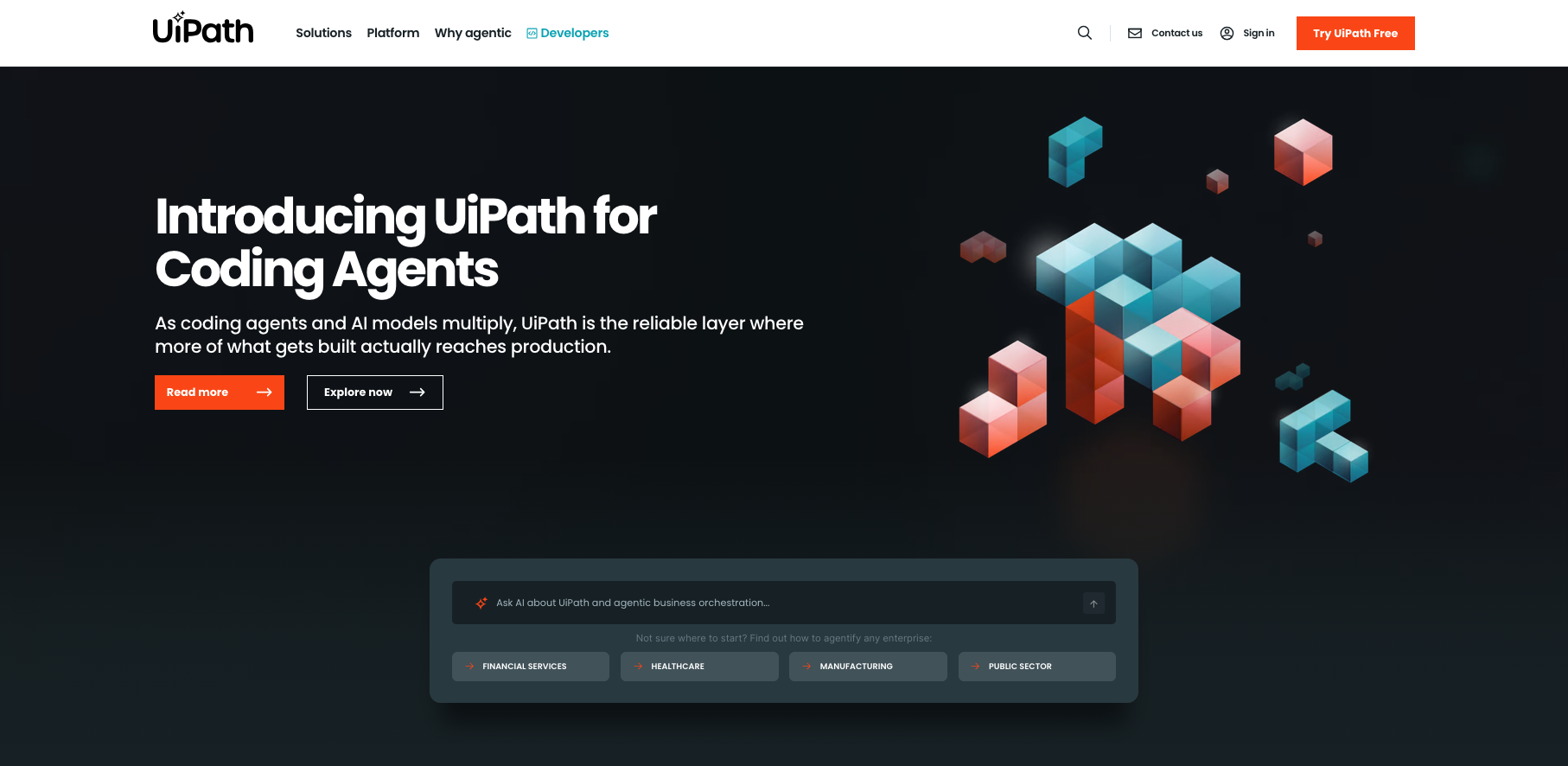
Best for: Large enterprises in finance, healthcare, the public sector, and other regulated industries that need AI agents working alongside RPA bots, document AI, and process modeling, all under one governance umbrella.
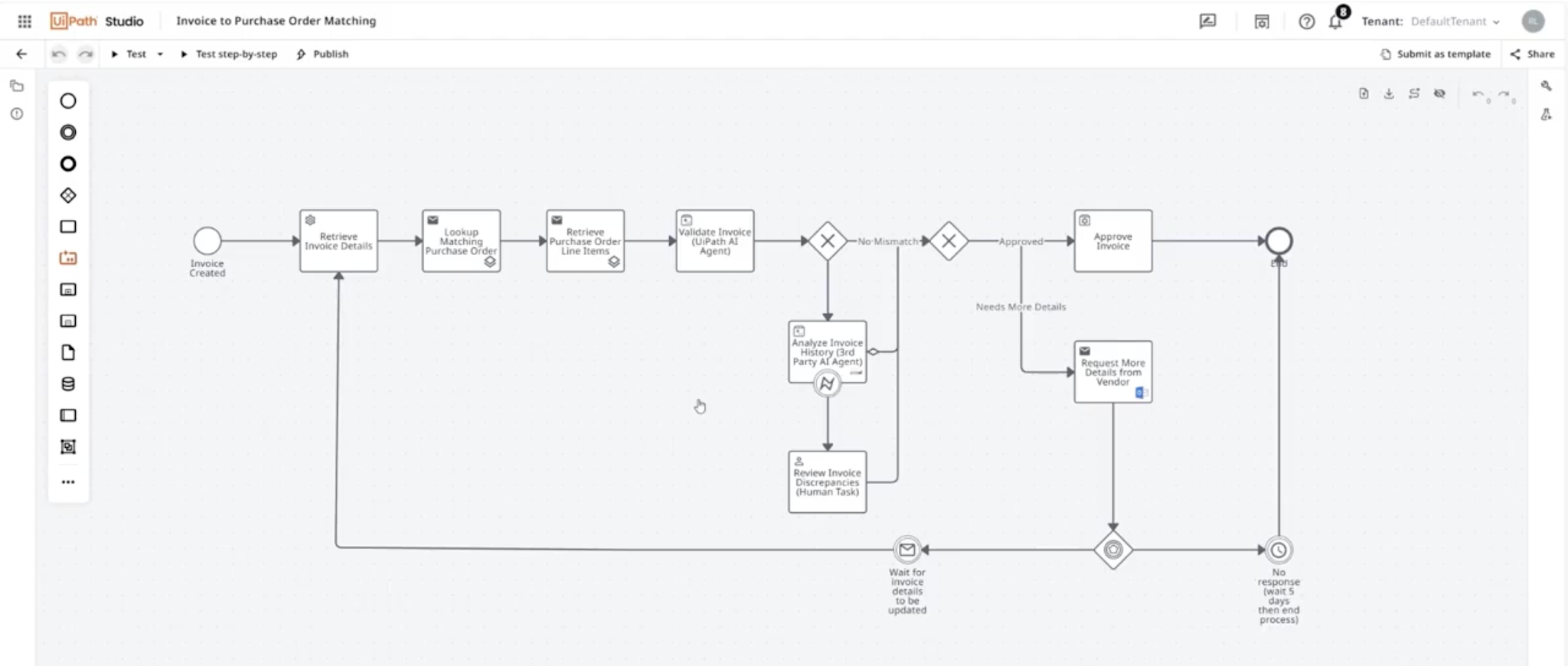
Why we picked it: What we liked most about UiPath was how mature the platform is as a unified automation platform. AI agents, RPA bots, document AI, human approval steps, testing, and process modeling all live under a single roof, with Maestro as the orchestration layer that ties them together. Automation Anywhere ships a similar coverage map, but UiPath has been investing in the unified developer experience longer, and that maturity shows in the tooling and governance story.
Two years ago, UiPath was an RPA company adding AI features around the edges. But now it now operates as a broader agentic automation platform.. The September 2025 OpenAI collaboration deepened the model bench and brought GPT-5 directly into UiPath Agent Builder, with Maestro orchestrating UiPath, OpenAI, and third-party agents under one governance layer.
What kept us interested is its governance story. UiPath gives you one model for your whole automation program instead of stitching together five.
However, this isn't a tool one person can run from a laptop. Most rollouts we hear about need a real platform team behind them. Expect a long procurement cycle, security review, change management, and a multi-month implementation. If you want to ship a useful workflow this week, look further down the list at Zapier or Lindy.
Key features
- Agents, RPA bots, APIs, document AI, human approval steps, and testing under one platform
- Maestro as the process modeling layer that ties AI agents and rule-based work together
- Model flexibility: OpenAI and Azure OpenAI, Gemini via Google Vertex AI, Claude via AWS Bedrock, plus OpenAI-compatible or self-hosted options in supported setups
- Integration Service with ready-made connectors and triggers across SaaS and enterprise systems
- Document Understanding for pulling fields, classifying, and handling exceptions across PDFs, emails, and forms
- Run it in the cloud, in a regional cloud, or self-hosted via Automation Suite
- Governance controls: your own identity system, your own model, your own encryption keys, and a full audit trail
- Strong public sector and regulated-industry posture across the major certifications
Limitations to note
- Complexity comes with the territory. Most rollouts need a platform team behind them. One ops person running solo rarely succeeds at this scale.
- Pricing gets murky past the $25/month entry tier. Real enterprise cost depends on robots, agents, orchestration, testing, and hosting choices.
- Heavy enterprise buying motion: UiPath is built for enterprise teams handling complex tasks across many departments. Expect procurement, security review, and a multi-month rollout.
- Less SMB-friendly than Zapier, Make, or Lindy if you want to ship one workflow in an afternoon.
UiPath pricing: Paid plans start at $25/month
2. Microsoft Power Automate + Copilot Studio: best for Microsoft 365 estates
Best for: Organizations already standardized on Microsoft 365, Entra ID, Dataverse, Dynamics, Teams, and Azure that want AI automation without standing up a second stack next to it.
Why we picked it: What we found most compelling about Power Automate and Copilot Studio is that if your company already lives inside Microsoft 365, adding automation barely registers as a separate decision. Your identity, your email, your data warehouse, and your collaboration tool are all in the same place. For a Microsoft-shop buyer, that kind of native fit is hard to beat.
Copilot Studio went from "Power Virtual Agents with a new coat of paint" to a full agent-building environment with external publishing, model choice, and governance baked in.
When your IT team already knows the admin tools, the security model, and the billing setup, onboarding a new automation platform is a much shorter conversation. Our own Microsoft Outlook Trends Report shows how much of the average workday now lives inside Outlook and Teams. That's exactly the surface this stack is built to automate.
Key features
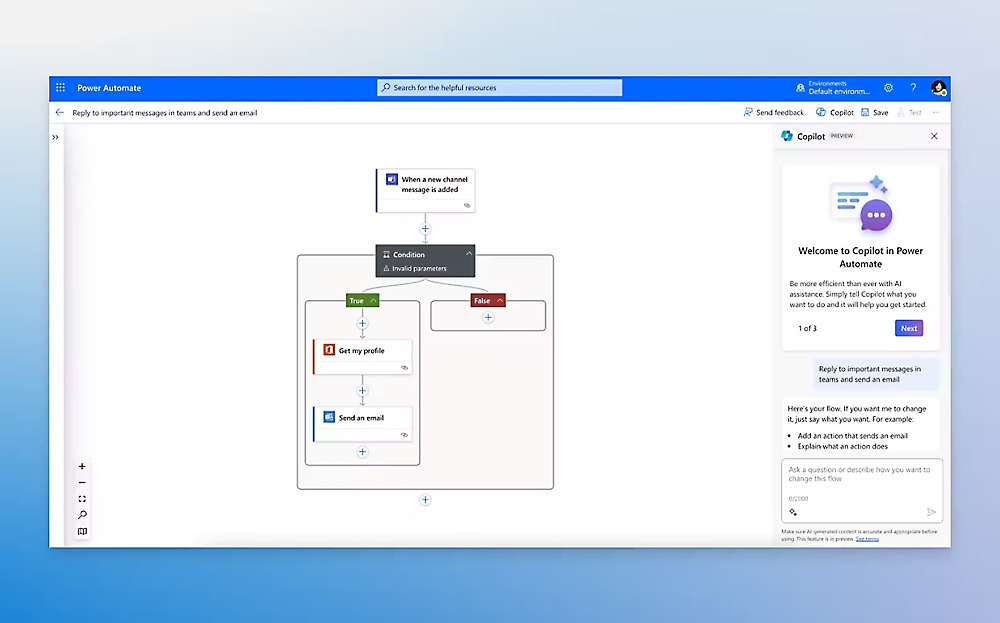
- Cloud flows for SaaS and Azure integrations, plus desktop flows that automate legacy Windows business processes
- Copilot Studio for building agents, including autonomous agents and external-channel publishing
- Model flexibility through Azure AI Foundry, including OpenAI GPT-5, Llama, DeepSeek V4, and 1,800+ models
- Deep reasoning preview powered by Azure OpenAI o3
- 1,300+ Power Platform connectors and an on-premises data gateway for hybrid setups
- Native integration with Microsoft 365, Dataverse, SharePoint, Graph, Teams, and Dynamics
- Enterprise governance: DLP, Purview audit, Sentinel, customer-managed keys, Customer Lockbox, data residency
Limitations to note
- Pricing can get confusing fast. Copilot, Copilot Studio, Power Automate, and Azure SKUs all bill differently.
- Advanced setups sometimes sprawl across multiple Microsoft services that overlap.
- Less compelling outside Microsoft estates. If your stack is Google Workspace plus HubSpot plus Slack, the math changes fast.
- Some advanced agent and reasoning features still ship as previews, with capacity and quota caveats.
Microsoft Copilot Studio pricing: Paid plans start at $30/month
3. Automation Anywhere: best UiPath alternative for compliance-led enterprises
Best for: Large enterprises in finance, healthcare, manufacturing, IT, and service operations that want AI agents, process reasoning, RPA, document handling, and orchestration in one platform, along with a credible second option to UiPath.
Why we picked it: What stood out to us about Automation Anywhere was the specificity of the customer outcome numbers. Most enterprise vendors at this tier talk in vague "productivity gains." AA's stories are unusually concrete, which is rare and useful when you're the one trying to convince a CFO. The platform itself is nearly as broad as UiPath, but the 2026 pitch lands a little differently. AA frames its strategy as Agentic Process Automation, which is basically the same five-step loop the other enterprise platforms talk about: read the situation, decide, act, verify, log.
Key features
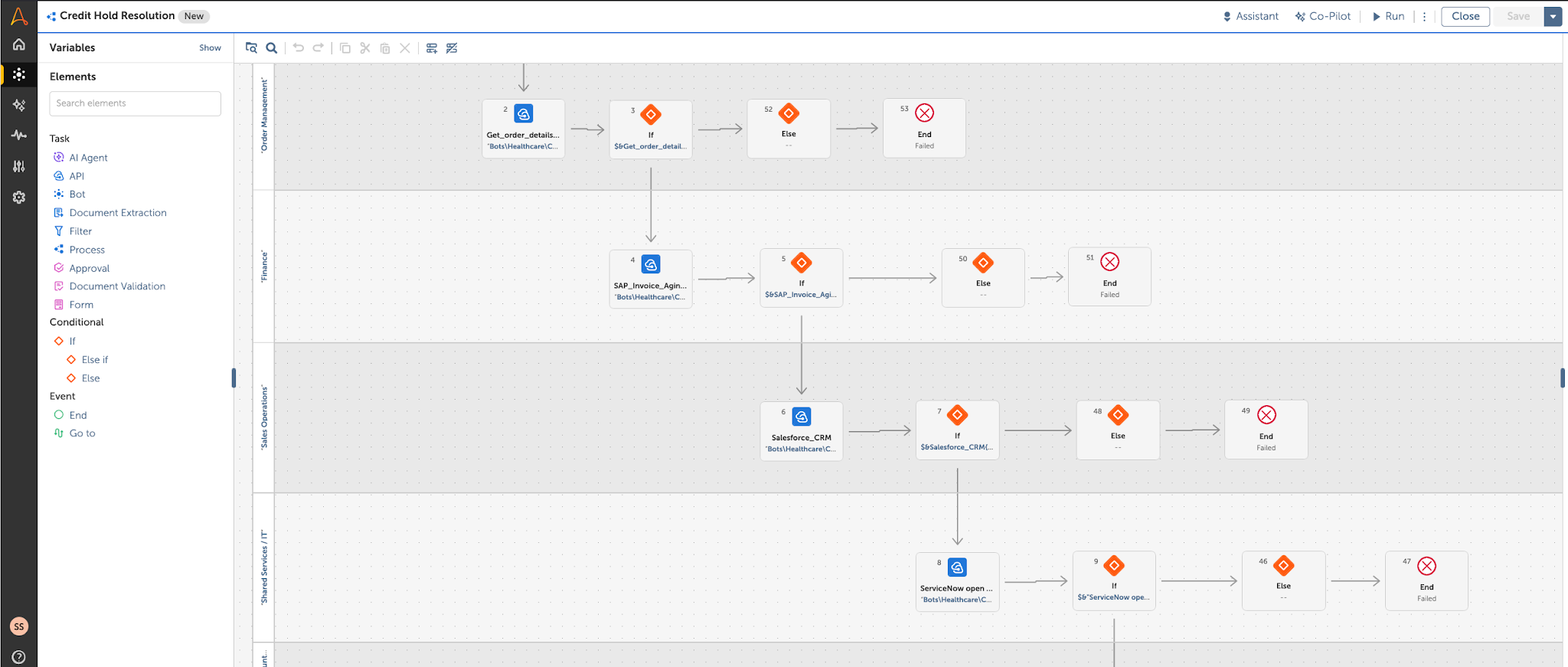
- AI Agent Studio for building agents with grounded prompts and tool use
- Process Reasoning Engine for decision logic, data analysis, exception handling, and rule fallbacks
- Mozart Orchestrator that coordinates bots, agents, APIs, documents, and approvals
- Model support across Amazon Bedrock, Azure OpenAI, OpenAI, Google Vertex AI, and custom models
- Strong security and compliance: ISO 27001, SOC 1/2 Type 2, HITRUST, ISO 22301, FIPS-140 encryption, RBAC, 16 global datacenters, contractually guaranteed >99.9% SLA
- Cloud-first deployment, with hybrid and self-hosted options
- Free Cloud Community Edition for evaluation
Limitations to note
- Pricing is quote-based past the Community Edition. Public list prices for enterprise APA and AI Agent Studio aren't published.
- Heavier rollout than mid-market tools. Plan for a longer timeline.
- Less SMB-friendly than Zapier, Make, or Lindy.
- Some 2026 capabilities are still in regional rollout and depend on your cloud environment.
Automation Anywhere pricing: Free → paid plans start at $750/month
4. Reclaim 2.0: best AI calendar automation
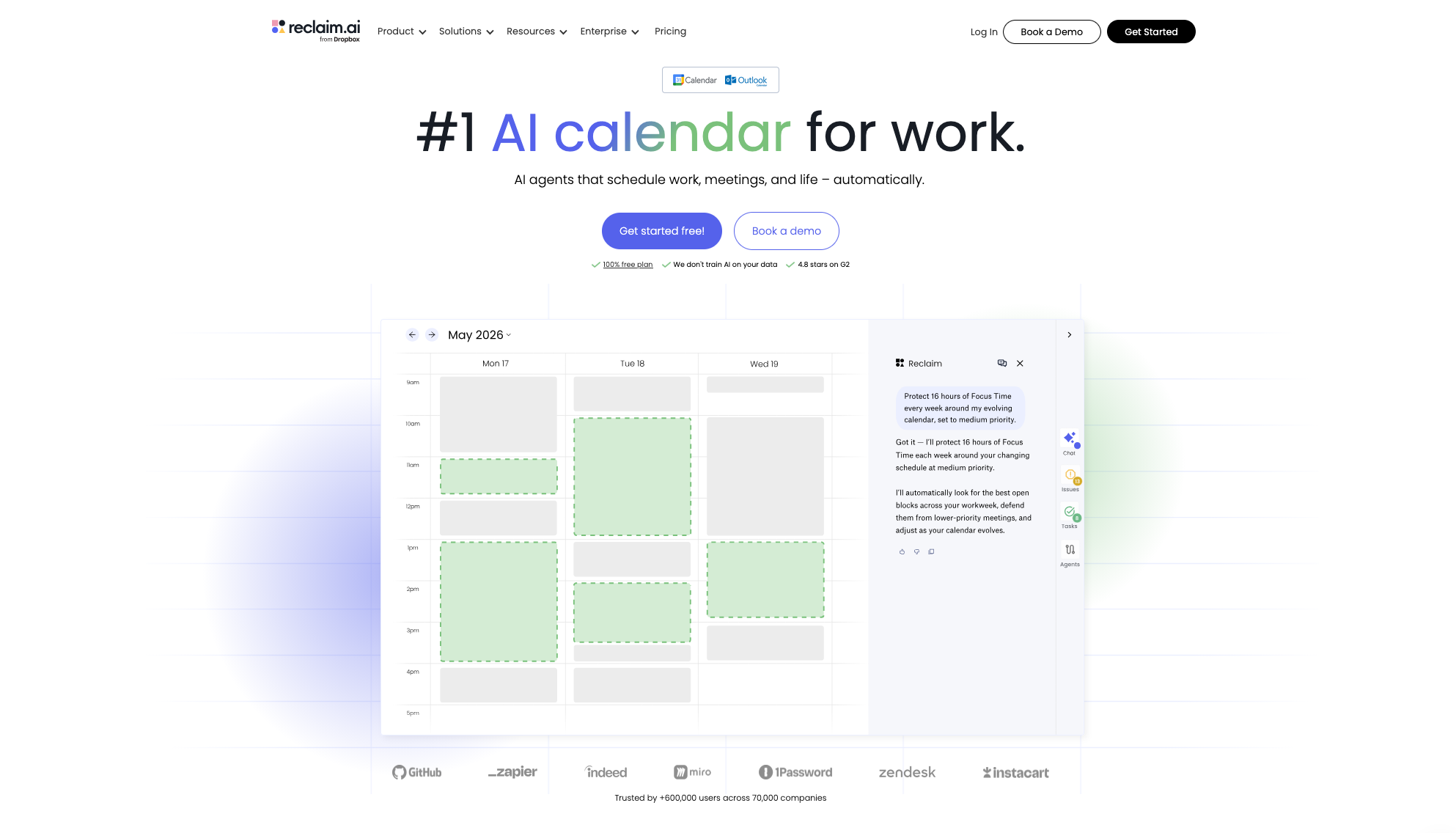
Best for: Busy professionals, founders, engineering managers, and sales operators who want an AI agent that runs their calendar end-to-end (turning on habits, pulling task work from project management tools like Jira, Asana, and ClickUp, and letting them cancel a meeting, reschedule next week, swap in a new habit, or rebuild the whole week from a chat prompt), with nothing going live until a human approves it.
Why we picked it: What we like about Reclaim 2.0 is that it's the first AI agent built specifically for the calendar, integrating natively with both Google and Outlook calendars. Most agent platforms (Lindy is a good example) treat the calendar as one surface among many. Reclaim 2.0 starts with the calendar as the main system, and adds a chat-and-agent layer on top of it. This is also a meaningful step beyond the original Reclaim platform, which was rule-based, focused on focus-time defense, and didn't have a natural language chat layer or preview mode.
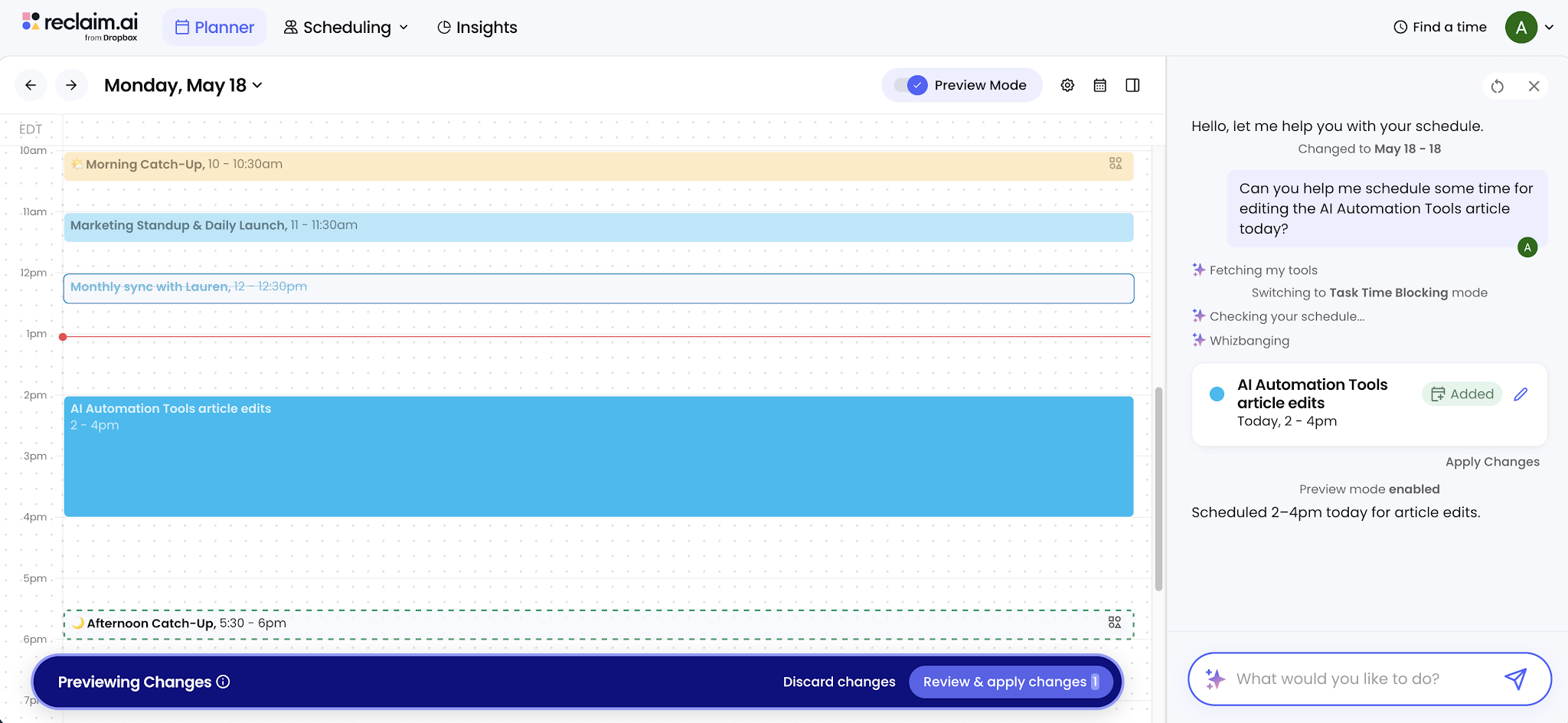
The defining feature is preview mode. Changes are staged for your review before it touches your live events. Cancel this Friday's customer meeting. Turn on a daily lunch habit. Auto-schedule decompression time after every external meeting. Move your three Wednesday 1:1s by 30 minutes. All of it lands in a preview ‘sandbox’ first, so you stay in control of what actually gets deployed on your calendar. As our co-founder Patrick puts it, "LLM AI chat systems are incredibly powerful, but sometimes they also get things wrong. So we built this platform to make sure that when the chat takes any action, it does so in the context of preview mode." That double-check-before-act design is the verification step most agent platforms still don't ship.
However, Reclaim 2.0 is calendar-domain focused. If you need a general workflow builder or a cross-app agent platform, look at the other ten tools on this list instead. The best ROI assumes a meeting-heavy workday on Google Calendar or Outlook. So, solo workdays with a light meeting load see less impact.
Key features
- Agentic chat for natural-language calendar actions: analyze your week, cancel or reschedule events, find time, build new habits, ask questions of embedded help docs
- Preview mode: new actions or conflict resolutions are staged for review and approval before they go live on the calendar
- Habits, Focus, and Buffer agents: lunch breaks, decompression time after meetings (with conditional rules like "only after external meetings"), focus blocks, and custom rules
- Third-party demand sources: pulls task and deadline context from Jira, Asana, ClickUp, Notion, and other connected systems
- Adapts as the calendar changes (a new meeting auto-adjusts the habit blocks around it)
- Multi-account Google Calendar and Microsoft Outlook support
- Enterprise security: SOC 2 Type II, GDPR, CCPA, and Data Privacy Framework certifications; SSO and SCIM on Business and Enterprise tiers
Limitations to note
- Calendar-domain focused. Reclaim 2.0 isn't a general workflow builder like Zapier, Make, or n8n, and isn't a cross-app agent platform like Lindy.
- No on-premises or self-hosted option.
- Reclaim 2.0 is new. Some pieces will keep changing after launch.
- Best ROI assumes Google Calendar or Outlook plus a meeting-heavy workday. Solo workdays with light meeting loads see less impact.
Reclaim pricing: Free → paid plans start at $10/month
5. Workato: best integration-led enterprise platform
Best for: Enterprise IT, revenue ops, support, HR, finance, and platform teams in API-first companies where the real bottleneck is connecting systems and controlling what AI agents can actually touch across them. UI scraping is rarely the right tool here.
Why we picked it: What we liked about Workato was the order of operations: integration layer first, AI agents on top. Most automation platforms are built on top of an integration layer. Workato IS the integration layer, with AI agents layered on top of it. That puts the connector story before the agent story, and at the enterprise tier, that's an unusual emphasis.
The hardest part of getting AI to actually do work at a company is letting it safely reach all the systems where the data already lives. Workato has been solving that exact problem long before "agentic" was a marketing term.
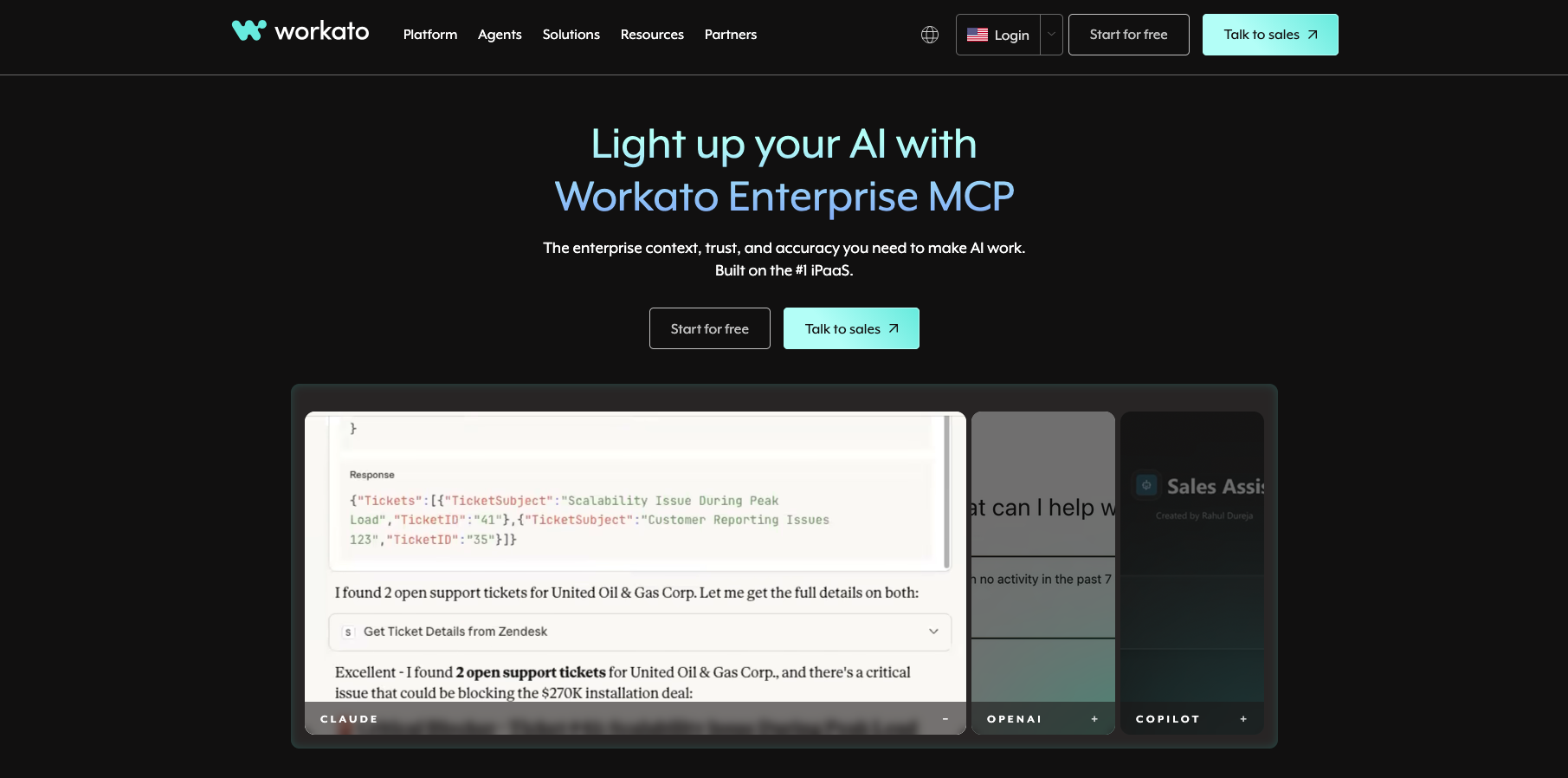
What stood out most is that Workato Enterprise MCP gives agents secure access to 12,000+ apps with controls on who can do what. That's a much bigger surface than what most competitors offer, and the controls let you say things like "this agent can read from Salesforce but can only write to Slack," which is the kind of guardrail your security team will ask about. Workato also says clearly that your data is never used to train their AI, which matters if you work somewhere with strict data rules.
Key features
- 1,000+ connectors with the same recipe-builder experience across systems
- Workato Enterprise MCP opens up 12,000+ apps to agents, with controls on which users can do what
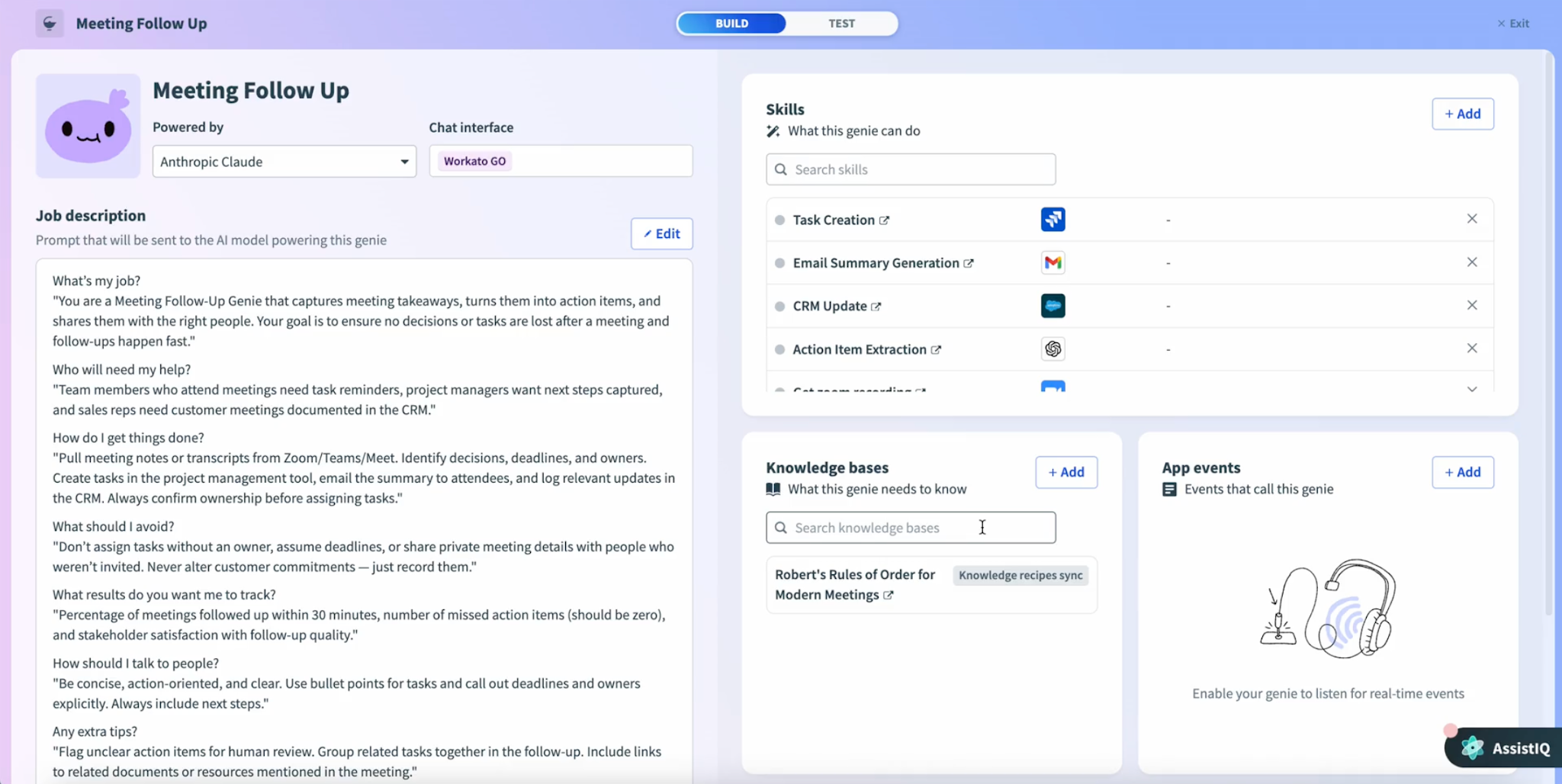
- Workato One built around the Orchestrate and Agentic pillars, with AIRO, Agent Studio, Agent Hub, Agent Acumen, Enterprise MCP, and Agent Trust governance underneath
- AI by Workato runs on Anthropic and OpenAI; your data isn't used for training
- Strong compliance posture: PCI-DSS Level 1, ISO 27001/27701/42001, SOC 1/2/3, HIPAA with signed BAAs, IRAP, NIST 800-171A
- Cloud-first, with enterprise and private deployment options
- Reusable recipes shared across business units
Limitations to note
- Pricing is usage-based and quote-based, with no published list prices.
- Less public customer storytelling than Zapier, Make, or n8n.
- Best ROI assumes you're integration-heavy. If your workflows live mostly inside Microsoft or Salesforce, the native tool there may fit tighter.
- Workato One is recent (March 2025); some capabilities are still scaling out of early access.
Workato pricing: Usage-based
6. Salesforce Agentforce: best CRM-native AI agents
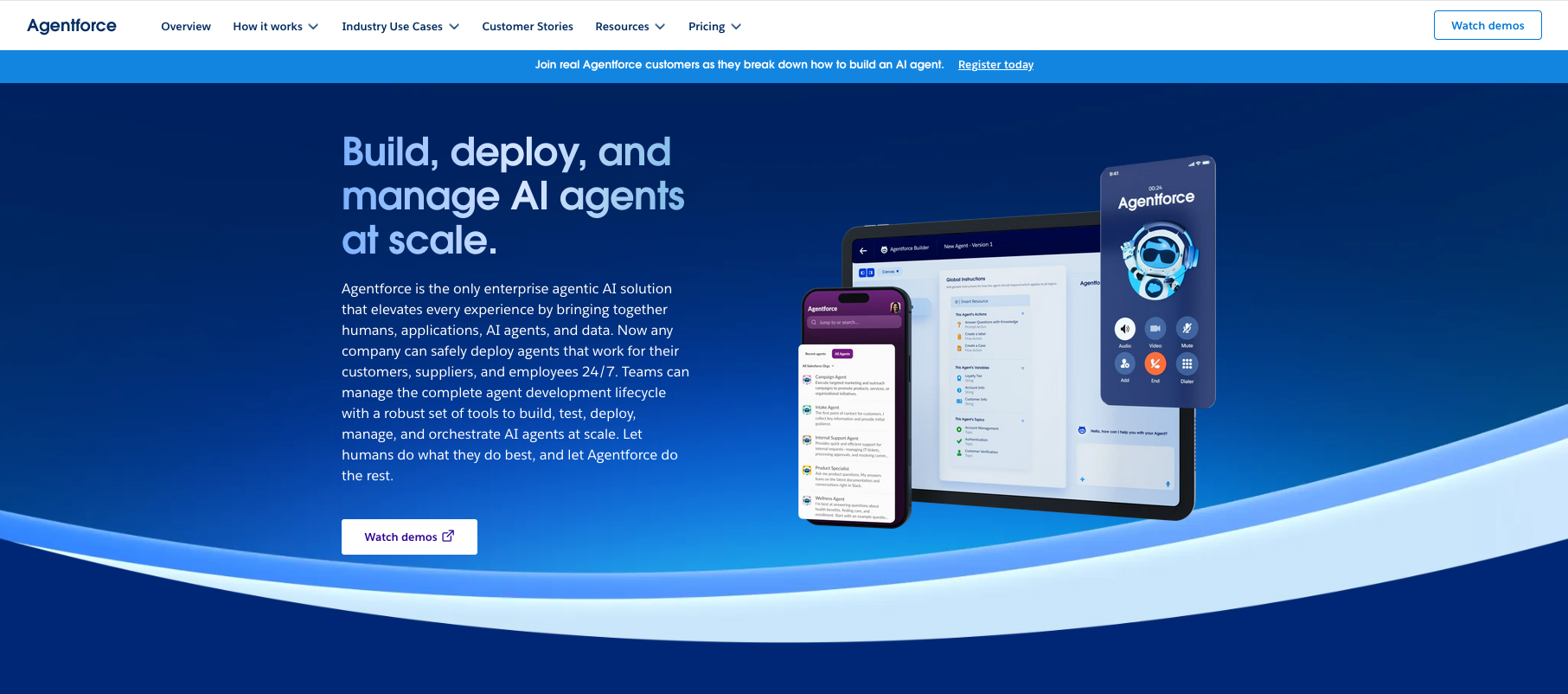
Best for: Sales, service, field service, financial services, healthcare, life sciences, and customer-operations teams whose main system is already Salesforce, Slack, Data Cloud, Service Cloud, or a Salesforce industry cloud.
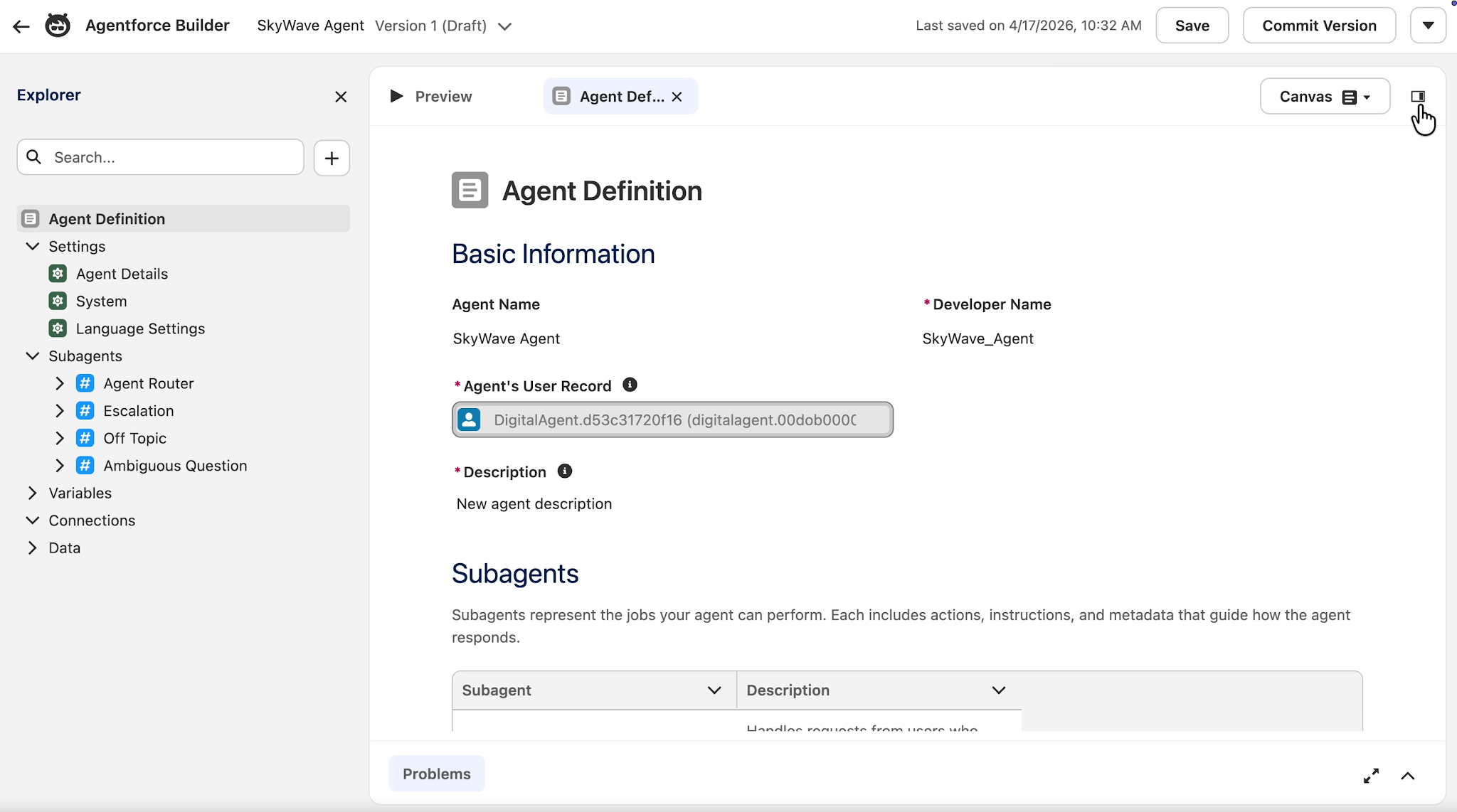
Why we picked it: What we liked about Agentforce was the location. The agents live inside the CRM that your sales and service teams already use every day. They don't have to learn a new tool or switch tabs. The agent updates the record, drafts the follow-up email, routes the approval, and queues the next task, all from the same screen where the rep was already working. If your company runs on Salesforce, this is just the path of least resistance for getting AI work done where it matters.
This addresses a real problem your reps already feel. Salesforce's own State of Sales research keeps finding the same thing year after year: reps spend less than a third of their week actually selling. The rest goes to admin work like CRM updates, follow-up drafts, meeting prep, and approval routing. Agentforce targets that admin layer directly.
However, the cost ramps quickly. Flex Credits, agent actions (20 credits each), voice actions (30 credits each), and per-user license fees all stack on top of each other. The best value also assumes your company is strategically committed to Salesforce. If you're running a mixed stack with Salesforce alongside HubSpot or Linear, the math gets less attractive.
Key features
- Agents embedded inside Salesforce, Slack, and industry clouds
- Flow handles rule-based business logic and approvals
- MuleSoft connects to outside SaaS and self-hosted systems for agents
- Data Cloud grounds agents in customer context
- Model flexibility: Salesforce Default (currently GPT-4o), AWS-hosted Claude Sonnet 4.6, plus Bring Your Own Model via AI Models / Einstein Studio
- Strong regulated-industry posture: SOC coverage, HIPAA eligibility, ISO 27001/27017/27018
- Native integrations across Service Cloud, Sales Cloud, Field Service, and industry clouds
Limitations to note
- Costs add up fast. Flex Credits, agent actions (20 credits), voice actions (30 credits), and per-user license fees all stack.
- Best value assumes you're strategically committed to Salesforce. Mixed-stack companies see less return.
- Model selection is currently global, not per-agent. You pick one option (Salesforce Default, AWS-hosted Claude, or BYO) and that choice applies to every agent in your org. Per-agent model selection is on Salesforce's roadmap but isn't shipping as of early 2026.
- Custom actions, Apex, and Models API calls can use BYO models independently of the global setting, but configuring that route is heavier than using the Default option.
Salesforce Agentforce pricing: Free → paid plans start at $500 per 100k credits
7. ServiceNow AI Platform: best for AI governance & enterprise ITSM
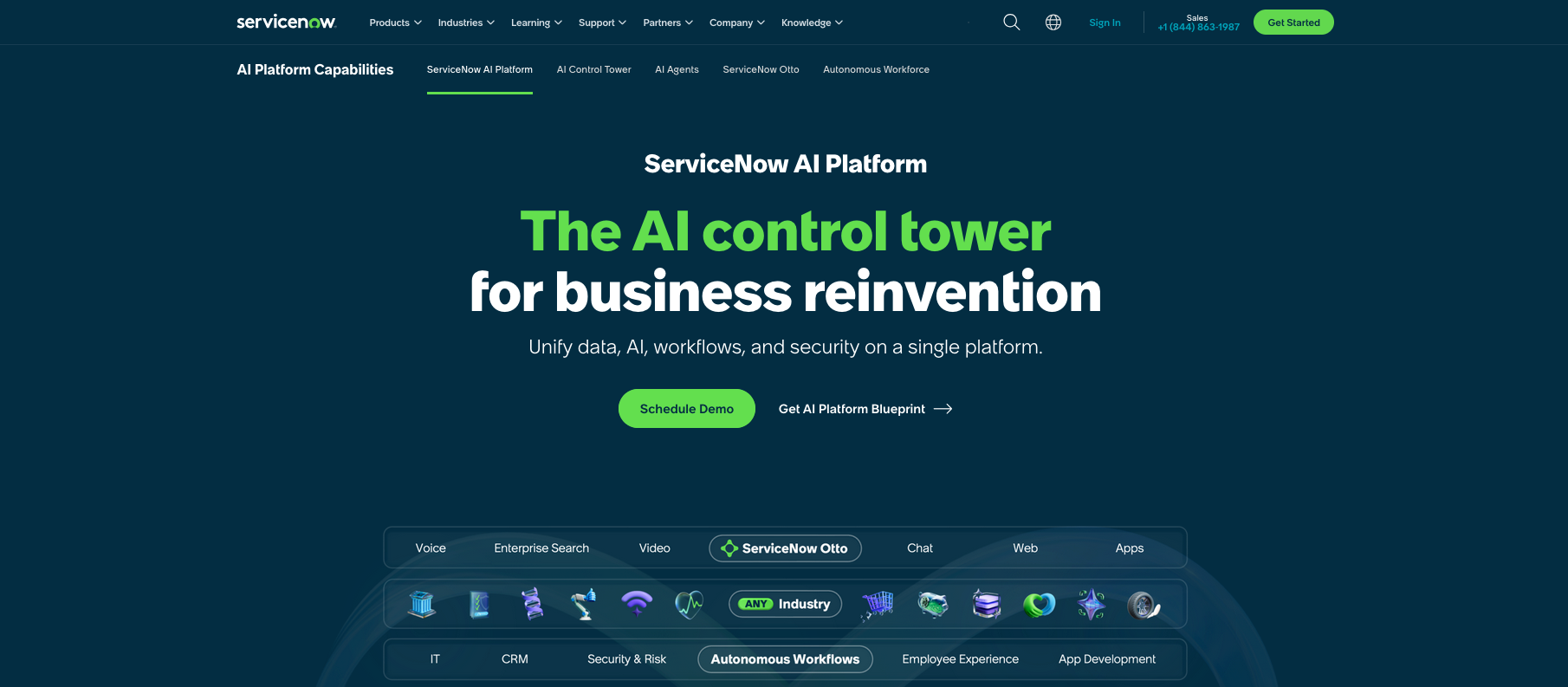
Best for: IT service management (ITSM), HR shared services, legal, procurement, workplace services, and large enterprise operations teams that need to govern the AI agents and models running across the whole company, on top of the platform that actually runs them.
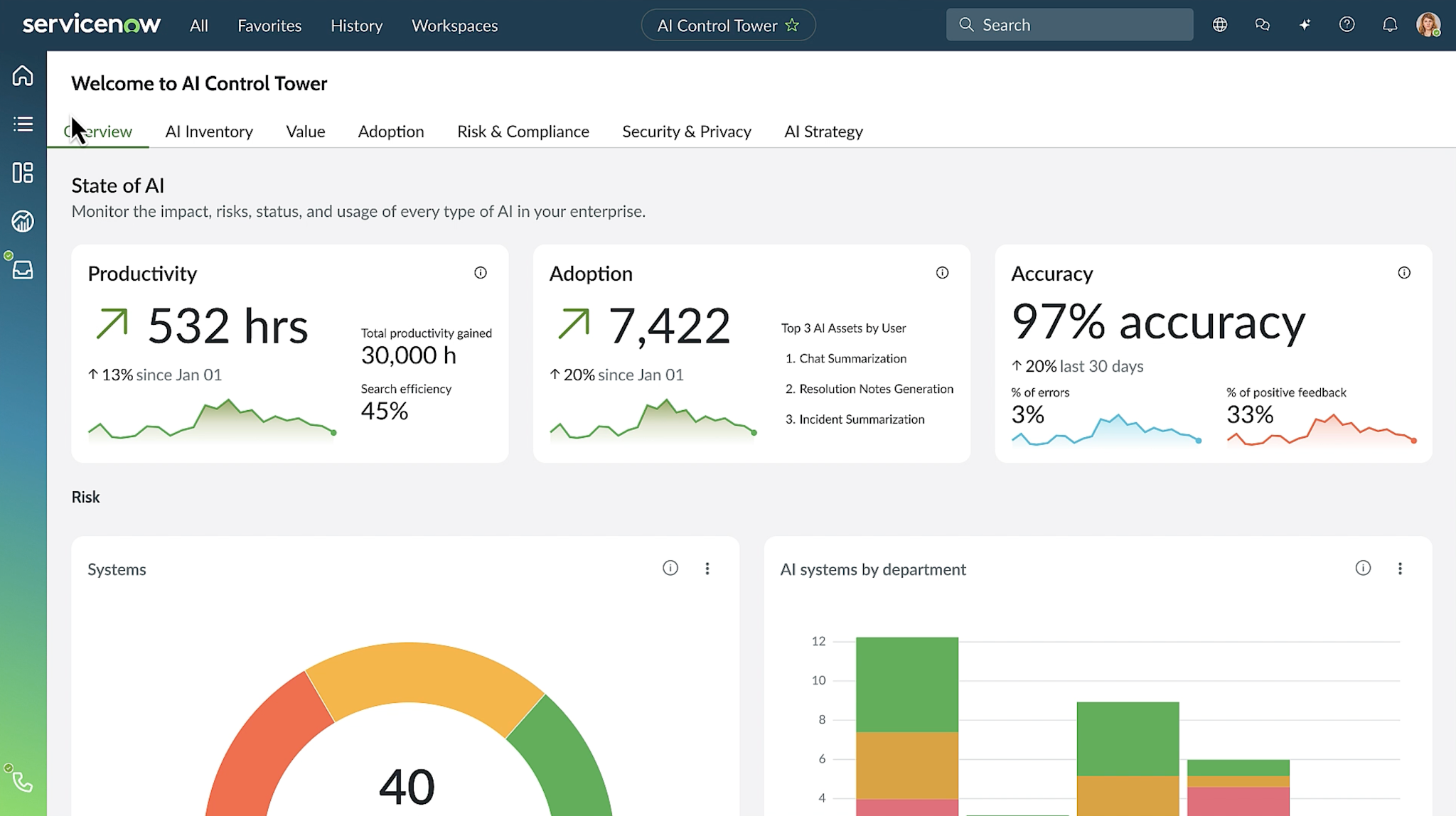
Why we picked it: What we found most useful about ServiceNow was the governance story. No other platform we evaluated has a comparable answer to AI sprawl across an organization. The headline feature, AI Control Tower, finds the agents and models running in different parts of your org, then ties that visibility back to your workflows, your CMDB (the master list of your IT assets), your business metrics, and where the cost is landing. CIOs and auditors are starting to ask for this kind of oversight, and most competitors don't have a comparable answer yet.
ServiceNow's January 2026 deepening of its Anthropic integration positioned Claude as the primary model for Build Agent, with Azure OpenAI and ServiceNow's own domain-specific models filling in the rest. That moved ServiceNow from "ITSM workflow vendor" to a real cross-vendor AI governance platform.
Nevertheless, the pricing is not transparent, and a lot of the most interesting AI agent features sit specifically at the Prime tier. ServiceNow rewards companies that commit, but the commitment is real. If you want lightweight departmental automation, Zapier or Make further down the list will serve you better.
Key features
- AI Control Tower for cross-enterprise model and agent governance, identity, and runtime visibility
- Build Agent with Claude as default model and third-party model support
- Now Assist for in-context AI across ITSM, HR, customer service, and procurement
- L1 Service Desk AI Specialist and AI agents for ITSM at the Prime tier
- Deep integration with CMDB, service catalog, and workflow engine
- Strong partnership posture (Anthropic, Microsoft) with cross-cloud and cross-model deployment
- Enterprise governance, audit trails, and policy enforcement layered into every workflow
Limitations to note
- Quote-based procurement across Foundation, Advanced, and Prime tiers. Self-serve pricing isn't published.
- Less suited to lightweight departmental automation than Zapier, Make, or n8n.
- Big rollout effort. ServiceNow rewards companies that commit, but the commitment is real.
- Many of the advanced AI agent features sit at the Prime tier.
ServiceNow pricing: Contact sales for a custom quote
8. Zapier: best no-code SMB/mid-market platform
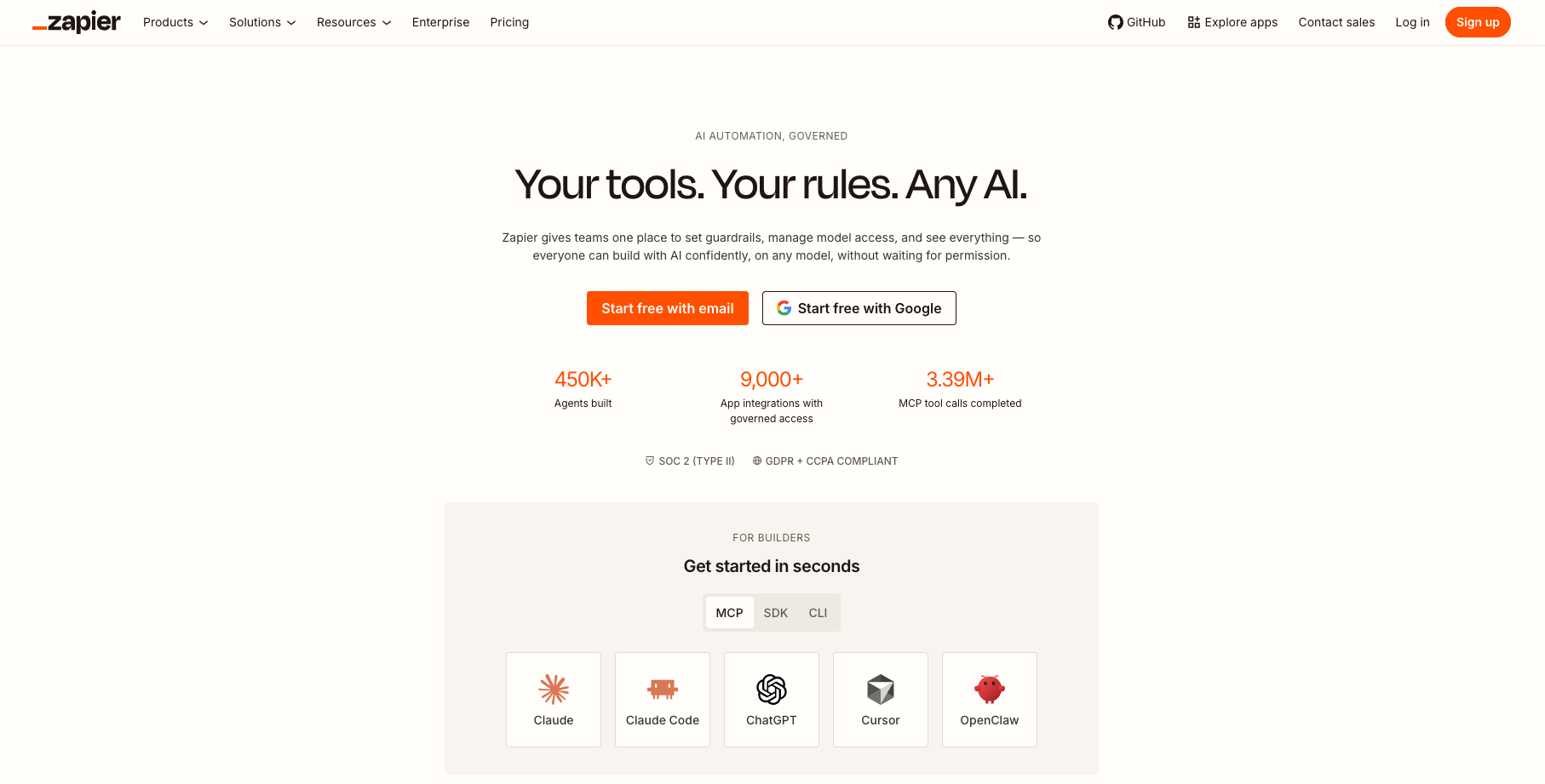
Best for: Small businesses, mid-market teams, go-to-market ops, marketing ops, IT and general operations, content workflows, and non-technical users who need cross-app automation and AI without a dedicated platform engineer.
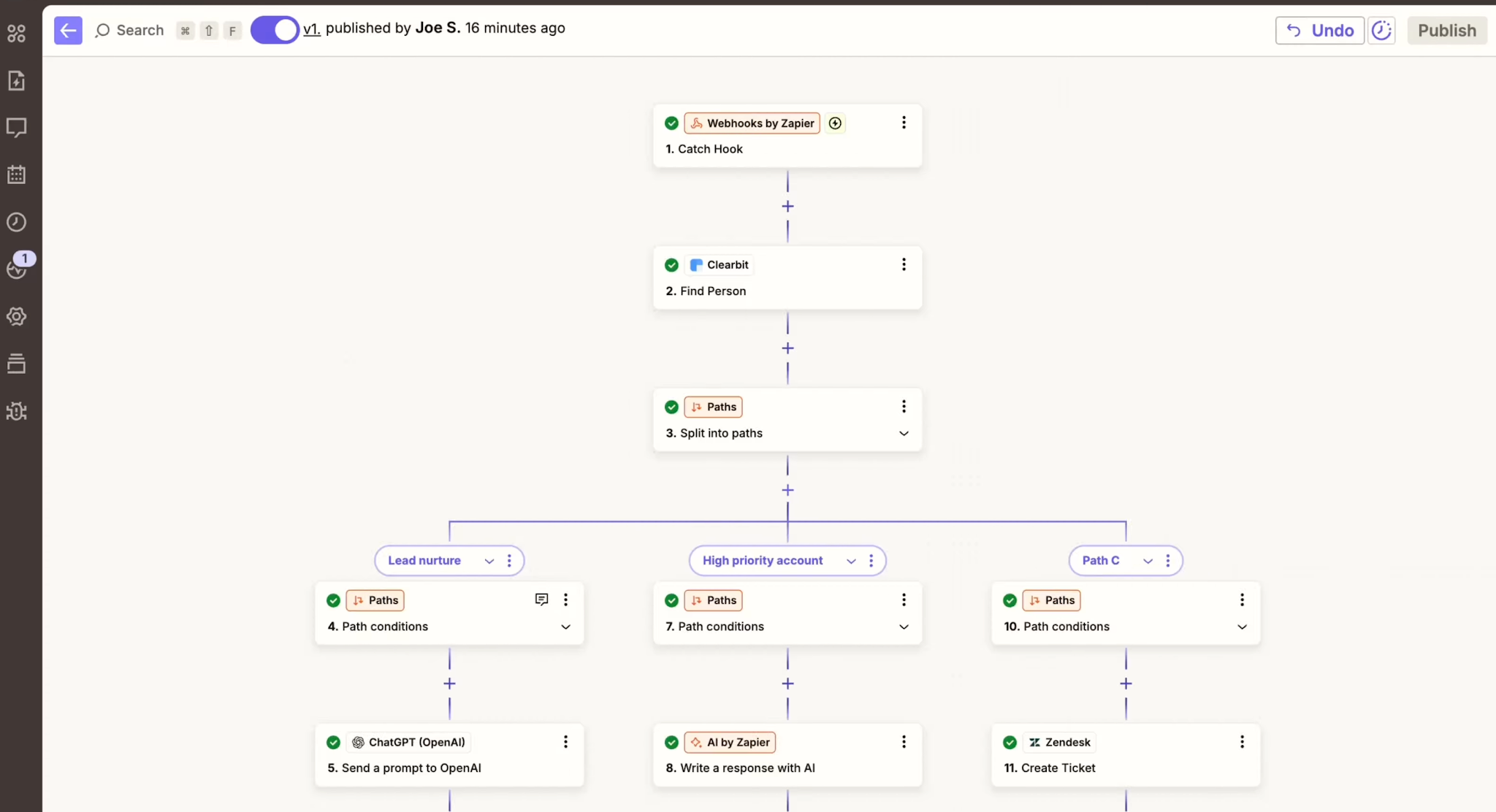
Why we picked it: What we liked about Zapier was how fast a non-technical team can ship something real with it. Most ops people we've talked to can build a useful workflow in an afternoon without much technical expertise. The visual builder is forgiving, and there are 9,000+ apps already connected, so whatever obscure tool your sales team uses is probably in there. For an SMB or mid-market buyer, that kind of speed-to-value is the thing that matters most.
In 2026, you get a real AI agent product that works with your live business data and acts across thousands of apps. MCP support lets assistants like Claude and ChatGPT trigger Zaps with rules attached. Human-in-the-Loop approvals can pause any agent before a risky action. Compared to the 2024 product (basically rule-based connectors plus optional GPT calls), this is a step change.
Still, Zapier charges per task, so high-volume workflows can run up your bill fast. Look at how often each Zap fires before you scale up. There's no self-hosted option, so if your security team has strict data-locality rules, Zapier may not pass review. And the enterprise governance and admin tooling, while solid for an SMB-first product, still trails what UiPath or ServiceNow ship at the high end.
Key features
- 9,000+ app connections and 30,000+ actions via MCP, covering anything from CRM updates to drafting social media posts
- Zaps for rule-based workflows; Agents for AI-led work; Tables, Forms, Canvas, and Chatbots for the surfaces around them
- MCP integration so Claude and ChatGPT can take rule-controlled actions across your stack
- AI by Zapier as an inline step with prompt builder, output previews, prompt-strength scoring, and model choice
- Zapier Copilot for auto-building Zaps from a natural-language description (Zapier's own AI builder, available on all plans)
- Zapier MCP available as a connector inside Microsoft Copilot Studio, Power Automate, Logic Apps, and Power Apps
- Human-in-the-Loop approvals for any pause-before-action requirement
- Enterprise security: SOC 2, GDPR, CCPA, SAML/SCIM/2FA, custom retention, centralized audit and admin
Limitations to note
- Task-based pricing climbs fast for high-volume workflows. Watch cadence and burst rates.
- Less deployment control than self-hosted or enterprise-heavy platforms (no self-hosted option).
- Advanced governance still trails the most rigorous enterprise suites.
- Some AI features are still in open beta. Expect things to change quickly.
Zapier pricing: Free → paid plans start at $19.99/month
9. n8n: best self-hosted technical platform
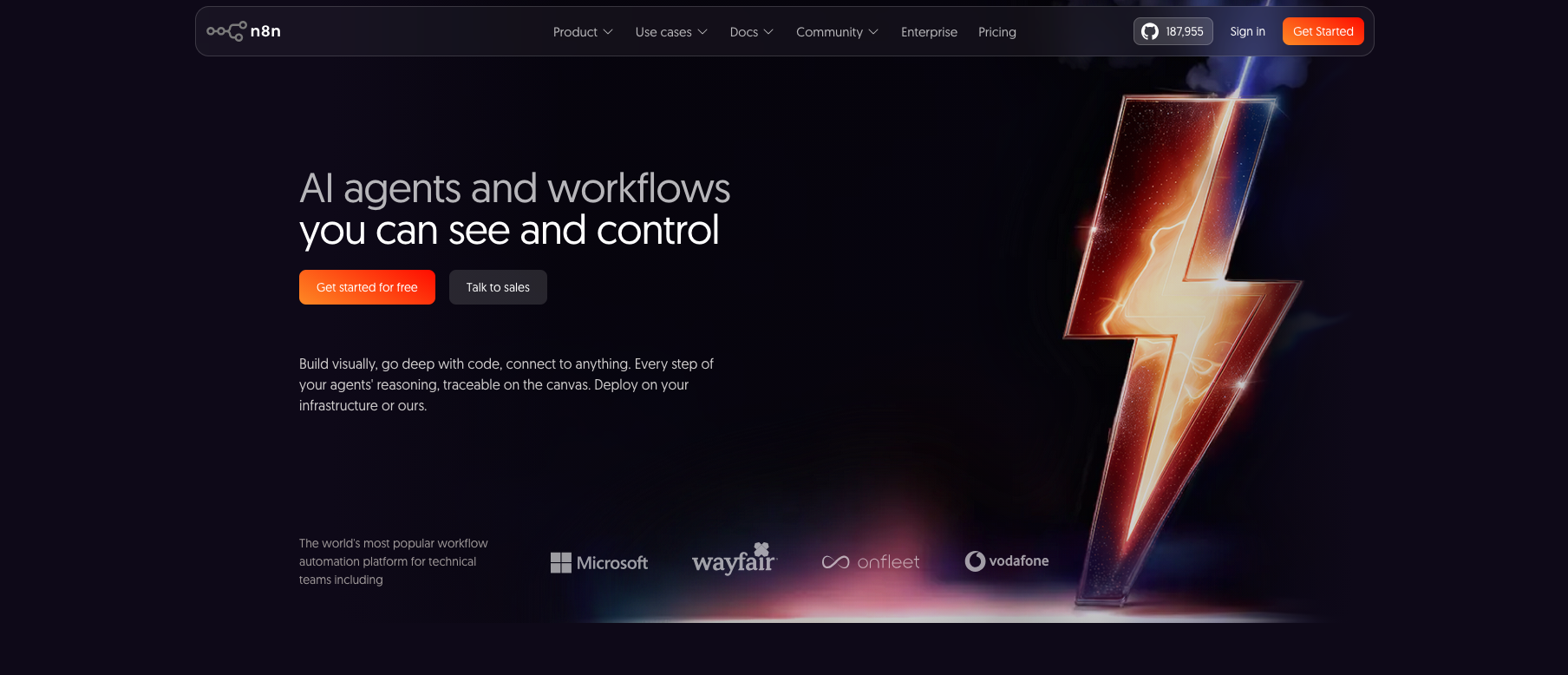
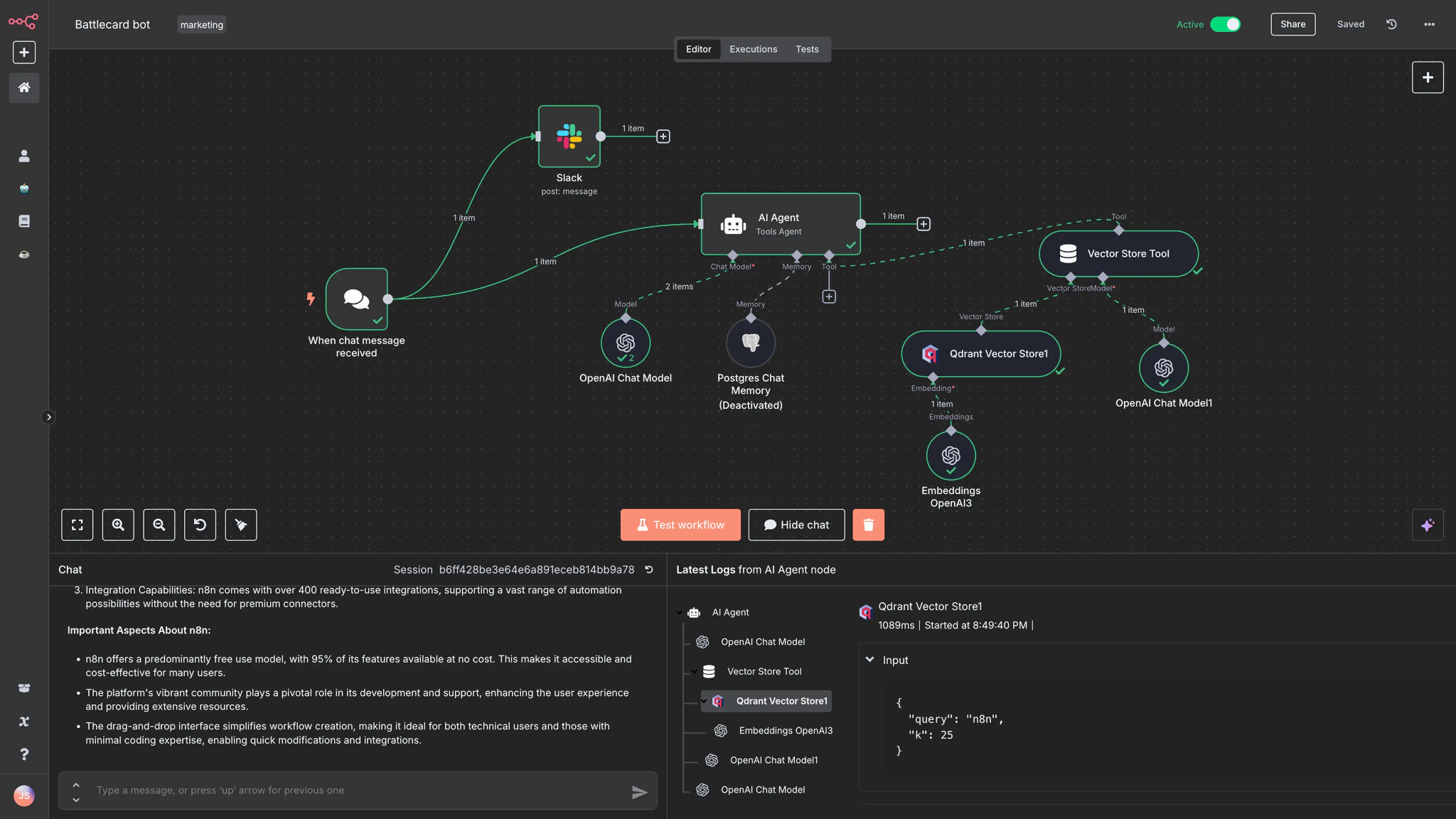
Best for: Technical ops teams, startups, AI builders, internal-tooling teams, agencies, and product engineering teams that want a low-code platform with the freedom of self-hosting, code nodes, predictable pricing, and a visual canvas to keep their bearings.
Why we picked it: What we liked about n8n was the pricing model. n8n bills you per workflow run rather than per task or per step, which can make complex workflows with many steps dramatically cheaper than task-based competitors once you're running real volume.
n8n sits between Zapier's no-code simplicity and writing a custom integration from scratch. The trade-off is that you get a lot more power in exchange for a little more responsibility. AI agent nodes, language model attachments, streaming support, and code nodes give technical builders the escape hatches that close the gap to writing custom code.
There's a free self-hosted Community Edition if you want to kick the tires without filing a credit card form. However, self-hosting means your team owns the encryption setup, the backup story, the infrastructure on-call rotation, and any compliance audits you need to pass. If that's a burden, the managed cloud version is fine, but you're paying for the convenience. Enterprise governance is also still lighter than what UiPath or ServiceNow ship for big-company rollouts.
Key features
- Visual node canvas plus code nodes (JavaScript and Python) for custom logic
- AI agent nodes with tool use, language model attachments, and streaming
- Self-host via Docker, Kubernetes, or cloud, plus a managed cloud option
- 1,000+ integrations, webhooks, custom nodes, CLI, API, and Git-based workflows
- Pricing based on workflow runs, predictable at scale (vs task-based competitors)
- SSO/SAML/LDAP on enterprise plans, advanced RBAC on paid plans, centralized logs
- Fast AI experimentation cycle for technical builders
Limitations to note
- Less turnkey for nontechnical teams. Some code or DevOps comfort helps a lot.
- Self-hosting moves some encryption and infrastructure responsibility to you.
- Enterprise polish and governance are improving but still lighter than UiPath, ServiceNow, or Workato.
- The 2026 model list isn't fully published in one place. Plan to confirm specific model coverage during evaluation.
n8n pricing: Free self-hosting → paid plans start at $24/month
10. Make: best AI workflow builder for ops teams
Best for: Ops teams, marketing, customer experience, finance ops, and internal business-automation teams that want more power than Zapier while staying out of developer-tooling territory.
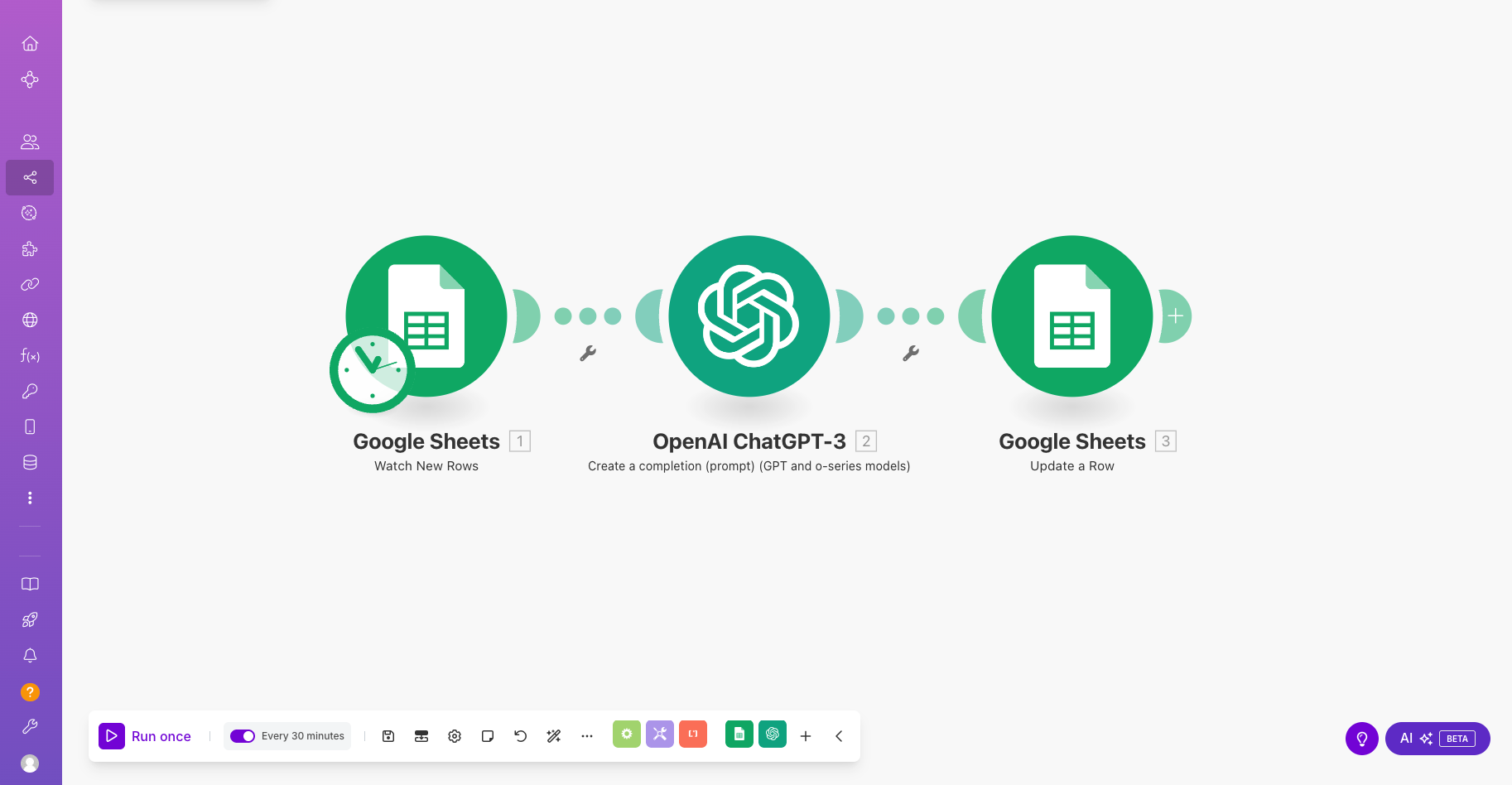
Why we picked it: What we liked about Make was the visual canvas. You can see the whole workflow at once: where data goes in, where it branches, where each step happens, and where errors get caught. For ops and marketing teams that think visually, that's a faster way to design and debug an automation than scrolling through a long list of steps. Few other tools we looked at make that experience as approachable for non-technical builders.
The 2026 version leans hard into AI agents, Make Grid for observability, Maia for AI-assisted building, and a deeper AI apps marketplace, all wrapped around the same visual canvas Make has been refining since well before "agentic" was a category. Make also has a surprisingly serious security setup for the price point, including ISO 27001 and SOC 2 Type II.
However, credit-based pricing for AI and agent usage is harder to forecast than n8n's execution model. You'll want to do some math before you scale up. Governance also isn't as deep as what the biggest enterprise suites ship, so for regulated industries with formal audit requirements, Make probably won't be the only tool in your stack. Treat it as a strong mid-market pick with room to grow into more advanced AI agent work over time.
Key features
- Visual scenario builder with branching, error handling, and operations logging
- AI agents that can be reused across multiple scenarios
- 3,000+ apps and 350+ AI apps, plus custom AI provider connections on paid plans
- Maia AI assistant for building and debugging scenarios
- Make Grid observability for production workloads
- Enterprise self-hosted agent for reaching local networks and SAP-style systems
- ISO 27001, SOC 2 Type II, SOC 3, AES-256 encryption at rest, TLS 1.2/1.3 in transit
Limitations to note
- Credit-based pricing for AI and agent usage can be harder to predict than n8n's execution model.
- Not as governance-deep as the biggest enterprise suites.
- Some AI agent features are newer than the core scenario engine. Treat the roadmap as evolving.
- The visual model is great for ops teams but less ideal for engineering teams that want code-first control.
Make pricing: Free → paid plans start at $16/month
11. Lindy: best AI-agent-first task automation for SMB/mid-market
Best for: Founders, sales operators, individual contributors, and small teams that want to start with prebuilt AI agents for recurring inbox, meeting, calendar, follow-up, and task management work, with the option to customize the underlying workflow when needed.
Why we picked it: What stood out to us about Lindy was the agent-first mental model. Most tools on this list start with a workflow you build by hand and bolt AI steps on top. Lindy flips that. You configure an agent first (its role, its memory, the apps it can see), and the workflow lives inside that agent. The flow editor does support triggers, actions, conditions, looping, and integrations as proper step types, so you can build a real workflow when you need to. But for the common cases, you can skip that entirely and start from a prebuilt agent template.
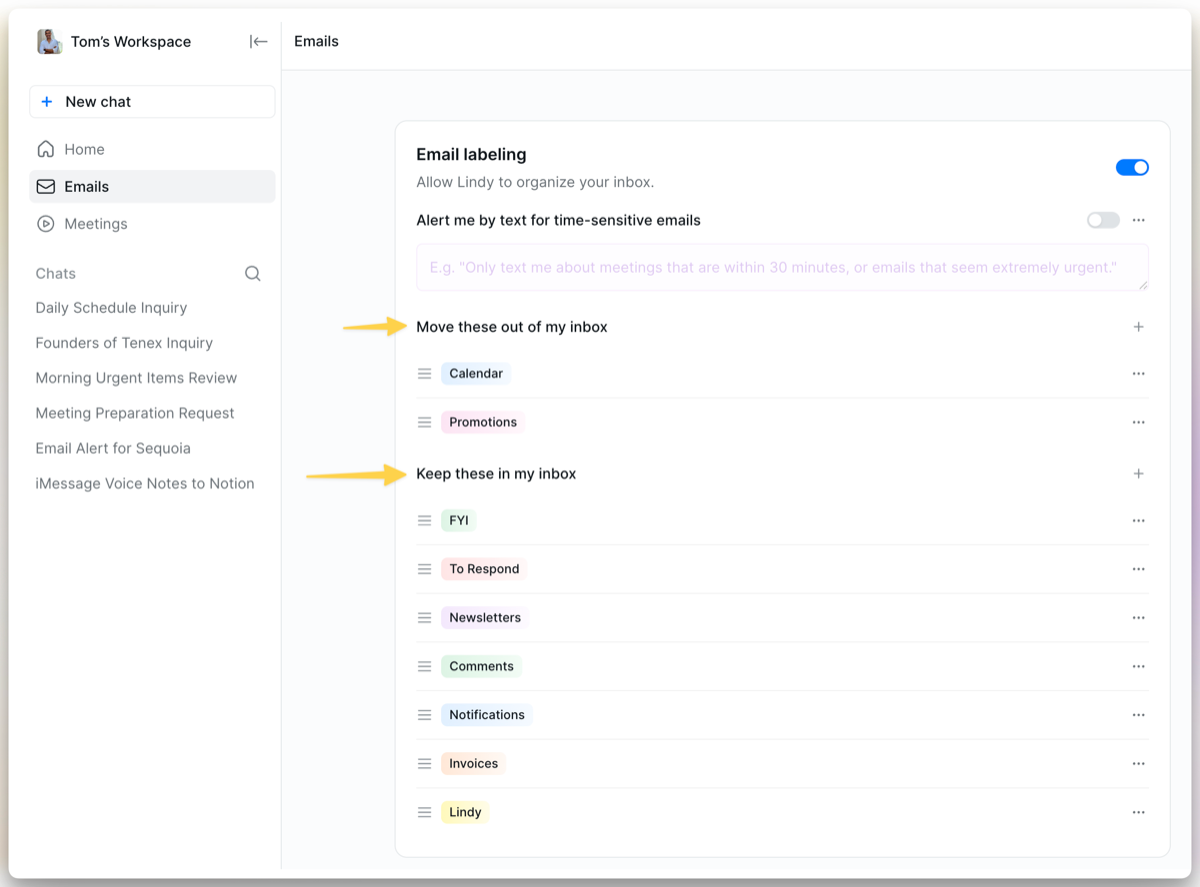
In practice, Lindy reads your inbox and labels things by priority, joins your meetings as a notetaker, drafts the follow-up email after each call, updates the right field in HubSpot, and even lets you delegate to it by text message. Memory is a first-class concept, which keeps context across runs without you wiring up a database step. For founders and small sales teams that want an agent doing real work in an afternoon, that's a big productivity bump for very little setup.
However, Lindy's agent-first model can feel unusual if you came from Zapier or n8n, where workflows are the top-level unit and AI shows up as a step inside them. Here, the agent is the unit you configure, and the workflow sits inside it. If you want a tool that thinks scenarios-first (Make) or nodes-first with code escape hatches (n8n), those will feel more natural. The ROI math works once Lindy is actually saving you hours per week, and the 7-day free trial gives you a fair shot at proving it out.
Key features
- AI agents for inbox triage, labeling, prioritization, and drafting replies in your voice
- Visual flow editor with triggers, actions, conditions, looping, and integrations for teams that want to customize the underlying workflow
- Agent Steps that hand decision-making to the model for fuzzier tasks (rather than rule-defined ones)
- Memory as a first-class concept, so agents keep context across runs without a separate database step
- Meeting assistant joins Zoom, Google Meet, and Microsoft Teams, records, summarizes, pulls out decisions and action items
- Meeting-prep briefs that pull calendar, email, and connected-app context before each call
- Calendar coordination by natural-language request: find times, send invites, reschedule, protect focus blocks
- Mobile delegation via iMessage and SMS
- Cross-app actions: update HubSpot or Salesforce after a sales call, summarize a Slack thread, find a document across Drive, Notion, or email
- Integrations with Gmail, Outlook, Google Calendar, Slack, Notion, HubSpot, Salesforce, Microsoft Teams, and Zoom (plus broader coverage via Pipedream)
- Enterprise tier with SSO, SCIM, audit logs, dedicated support, SOC 2 Type II, HIPAA (with a signed business associate agreement), and GDPR
Limitations to note
- The agent-first model isn't for everyone. If you think in scenarios or node graphs first and AI second, Make or n8n will feel more natural.
- Smaller integration surface than Zapier. Lindy reaches most apps via Pipedream rather than first-party connectors.
- No fully offline or self-hosted option.
- Best ROI assumes Gmail or Outlook plus Slack plus a CRM. Stacks built from very different pieces see less return.
- Free trial is 7 days. The lowest paid tier ($49.99/month) sits above Zapier and Make's entry tiers.
Lindy pricing: Paid plans start at $49.99/month
Honorable mentions worth tracking
A few platforms didn't make our Top 11 but come up often enough in 2026 buyer conversations that we want to flag them:
- Boomi for enterprise integration-platform buyers comparing Workato and MuleSoft.
- Pipedream for engineering teams who want code-first workflow APIs and prefer event-based building blocks over visual canvases.
- Relevance AI for teams building specialized AI agents and multi-agent systems without running their own infrastructure.
- Bardeen for browser-based personal automations and lightweight web-scraping flows.
- CrewAI for engineering teams running self-hosted multi-agent frameworks.
We didn't fully profile these because they're either narrower in 2026 or they overlap with platforms already in the Top 11. They're worth watching, especially if you're focused on multi-agent setups or developer-first automation.
How to choose your first AI automation workflow
The shortcut: pick a workflow that already has a salary attached, map your existing tools before adding new ones, pick integration over a brand-new dashboard, and build in a verification step from day one. That's a four-step starter framework for AI automation that lives past 90 days. Five practical rules to apply on top of it:
- Pick a workflow with a salary attached: If a human currently does the task for 5+ hours a week, an AI version pays for itself fast and you'll know quickly if it's working. Think inbox triage, meeting prep, CRM updates, expense routing, or ticket classification. Anything you can put a dollar figure on counts.
- Map your existing tools first: The biggest hidden cost of AI automation is rarely the platform itself. The real cost is the data, identity, audit, and ongoing maintenance work underneath. If your stack is Microsoft 365 plus Dynamics, going Microsoft-first saves real time. If it's Google Workspace plus HubSpot plus Slack, Zapier or Lindy will save you more.
- Pick integration over a brand-new dashboard: A new tab nobody opens is a dead automation. Workflows that live inside the tools your team already uses every day (Slack, your CRM, your inbox, your project tracker) actually get adopted. Workflows that live in a separate "AI portal" tend to wither.
- Start with one well-scoped workflow: General-purpose agents come later, once you've shipped the boring rule-based version and proven the ROI. Defined inputs and outputs work better than vague "intelligent decisions" until you actually know what good looks like in your environment.
- Build in a verification step: Any workflow that touches a key system (your CRM, your billing system, your email account, or your invoicing pipeline) needs a human approval step until the false-positive rate is reliably below your team's risk threshold. Our own approach is to protect deep work blocks around the human side of these reviews, so the verification step doesn't become a context-switching tax of its own.
Pick boring, then add intelligence
The biggest change in AI automation didn't come from a new model release. It came from the realization that automating complex workflows reliably matters more than chasing the flashiest demo. The platforms that win are the ones that take action on real systems, week after week, while the humans go home on time.