




Close

Outlook Calendar vs. Reclaim.ai

Reclaim isn’t an Outlook Calendar alternative - it makes your existing calendar smarter.

Sign up with Google Calendar

* Free forever: no credit card required.

Features & integrations
Reclaim +
Outlook
Reclaim +
Outlook
Outlook
Outlook
Tasks
More info
Automatically schedule tasks to your calendar around your existing calendar events, by priority, before their due dates.
Flexible time blocking
More info
Keeps your schedule flexible with smart "free" and "busy" controls based on how busy your schedule is to maximize availability while defending your time.
Robust free plan
More info
Both Reclaim and Outlook offer free plans, with Reclaim’s free forever tier providing full access to most of the platform, while Outlook’s free plan includes basic calendar features.
AI agents
More info
BReclaim gives every user an AI agent that can understand priorities, analyze schedules, recommend changes, preview outcomes, and take action directly on the calendar. Outlook provides calendar and email management capabilities, but does not offer an AI agent dedicated to continuously optimizing schedules and time allocation.
AI chat
More info
Reclaim includes a conversational AI assistant that helps users understand schedules, identify conflicts, analyze workloads, and optimize their time through natural language. Recommendations are presented with clear previews and remain human-in-the-loop, allowing users to review and approve scheduling actions before changes are made. Outlook integrates with Microsoft Copilot for conversational AI experiences, but does not provide a dedicated scheduling assistant designed to continuously optimize calendars, focus time, and workload allocation.
ChatGPT integration
More info
Reclaim integrates with ChatGPT, allowing users to access scheduling context, availability, and time management workflows directly through conversational AI. Outlook does not provide a native ChatGPT integration for interacting with scheduling data and calendar optimization workflows.
Claude & Claude Cowork MCP
More info
Reclaim integrates with Claude through MCP, allowing users to securely access scheduling context, availability, and calendar workflows directly from Claude. Outlook does not provide a native Claude MCP integration for interacting with scheduling data and calendar optimization workflows.
Tasks
More info
Reclaim syncs tasks from Jira, Asana, ClickUp, Todoist, Linear, Google Tasks, and other project management and task management tools, then automatically schedules time on the calendar to ensure work gets done. As priorities, deadlines, and schedules change, Reclaim continuously rebalances those time blocks so plans stay realistic and high-priority work stays protected. Outlook provides task and calendar management capabilities, but does not automatically schedule and continuously rebalance work time across connected task systems.
Task recommendations
More info
Reclaim's AI assistant can recommend what work to tackle next based on priorities, deadlines, available calendar capacity, and upcoming commitments. By connecting tasks from Jira, Asana, ClickUp, Todoist, Linear, Google Tasks, and other project management and task management tools, Reclaim helps employees make better decisions about where to focus their time. Outlook provides email and calendar management, but does not offer AI-powered recommendations about which work should be prioritized next.
Meeting agenda & follow-up email creation
More info
Reclaim's AI assistant can generate meeting agendas and follow-up emails using calendar context, meeting details, connected tasks, project management tools, and meeting transcripts. By incorporating context from Jira, Asana, ClickUp, Linear, Todoist, and prior meeting discussions, Reclaim helps teams prepare faster and keep action items aligned with ongoing work. Outlook provides meeting and email management capabilities, but does not provide native AI tools for generating meeting agendas and follow-up emails.
Pre-meeting buffer Time
More info
Reclaim automatically protects time before meetings so employees can prepare, review materials, gather context, and arrive ready to contribute. Buffer time continuously adapts as schedules change, helping teams reduce context switching and improve meeting effectiveness without manual calendar management. Outlook manages calendars and meetings, but does not automatically protect preparation time before meetings.
Post-meeting buffer Time
More info
Reclaim automatically protects time after meetings so employees can capture action items, update tasks, process decisions, and prepare for what's next. Buffer time continuously adapts as schedules change, helping teams reduce context switching and turn meetings into productive outcomes instead of unfinished work. Outlook manages calendars and meetings, but does not automatically protect follow-up time after meetings.
Flexible time blocking
More info
Auto-schedule time for your tasks, routines, meetings, and keep your schedule flexible to conflicts as they come up.
Habits / recurring routines
More info
Automatically block time for recurring routines using smart time windows and priority controls. Unlike Outlook Calendar's generic repeating events, Reclaim Habits flex to your changing schedule.
Focus time
More info
Create "focus time" blocks to protect from meetings. Beyond basic scheduling, Reclaim intelligently reschedules Focus based on your other priorities.
Calendar sync
More info
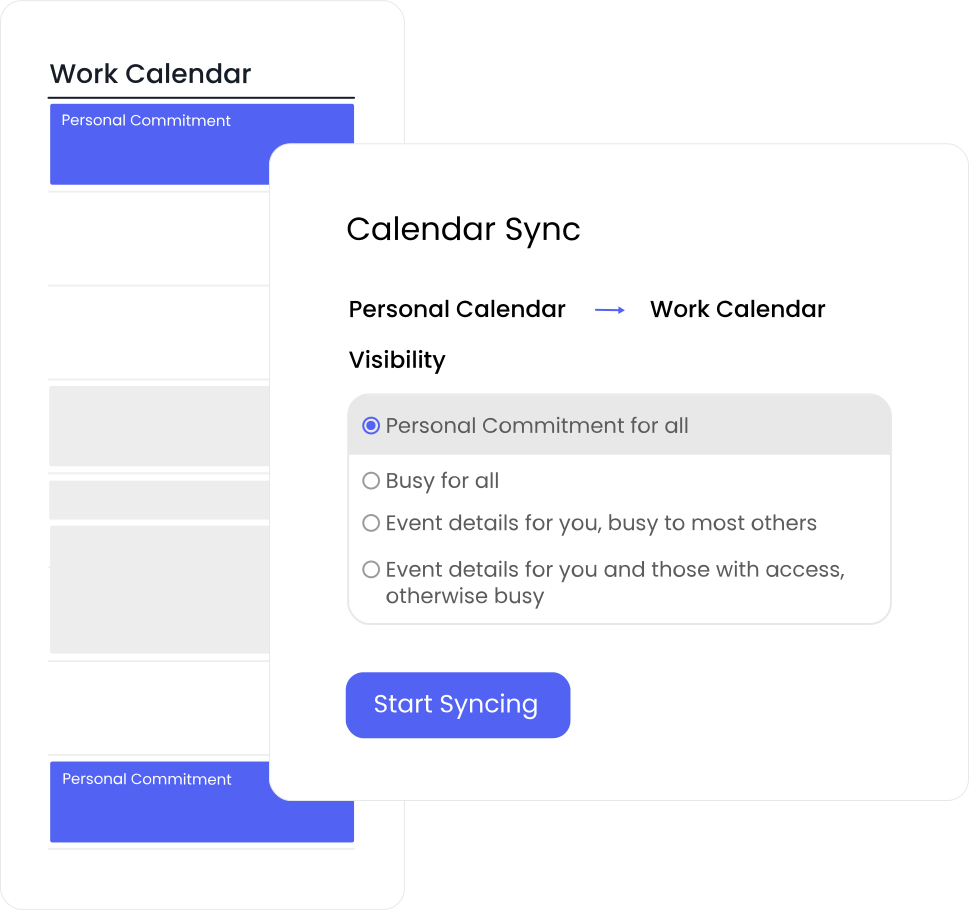
Block your availability across both personal and work calendars both ways, or across multiple work calendars. Reclaim supports unlimited calendar syncs in any direction. Outlook Calendar syncs calendars but doesn't block time to show your availability to others.
Smart Meetings
More info
Reclaim’s AI-powered rescheduling makes conflict resolution effortless, by automatically detecting and alerting you to conflicts, and offering the best alternative time based on all attendees scheduling preferences, focus time, meeting policies, and calendar constraints. Smart Meetings continuously adapt as schedules change, eliminating the manual work of coordinating recurring meetings and resolving conflicts. Outlook supports meeting scheduling and availability checking, but does not provide AI-powered one-click meeting rescheduling.
Team OOO calendar
More info
Reclaim automatically tracks and shares Out-of-Office time across teams in a shared calendar, then proactively adjusts meetings and tasks around availability so work stays on track without manual coordination. Outlook supports automatic replies, shared calendars, and group calendars for vacation visibility, but OOO coordination is still largely manual and does not proactively rebalance meetings and tasks around time away.
Productivity stats / time tracking
More info
Get native productivity stats to help you understand how much time you spend in meetings, across routines, and advanced time tracking for tasks.
Smart meeting breaks
More info
Automatically schedule breaks after meetings to prevent back-to-back days and reduce burnout.
Scheduling links
More info
Share scheduling links so people can automatically book available time on your calendar. Unlike Outlook, Reclaim lets you share prioritized scheduling links for maximum availability by displaying lower-priority events as open slots.
Compare more features

AI that optimizes your schedule

Outlook Calendar helps you manage meetings and events, but it doesn't automatically adapt when plans change. As new commitments appear and priorities shift, employees are often left manually reorganizing their calendars to keep everything on track.

Reclaim
uses AI to continuously optimize your schedule, with specialized agents that manage meetings, focus time, habits, and buffers on your behalf. Employees can ask questions about priorities, workload, and scheduling conflicts, receive recommendations, and automatically put those recommendations into action. Instead of relying on static events and manual calendar management, schedules stay flexible and adapt as priorities change throughout the week.
Automated priority time blocking

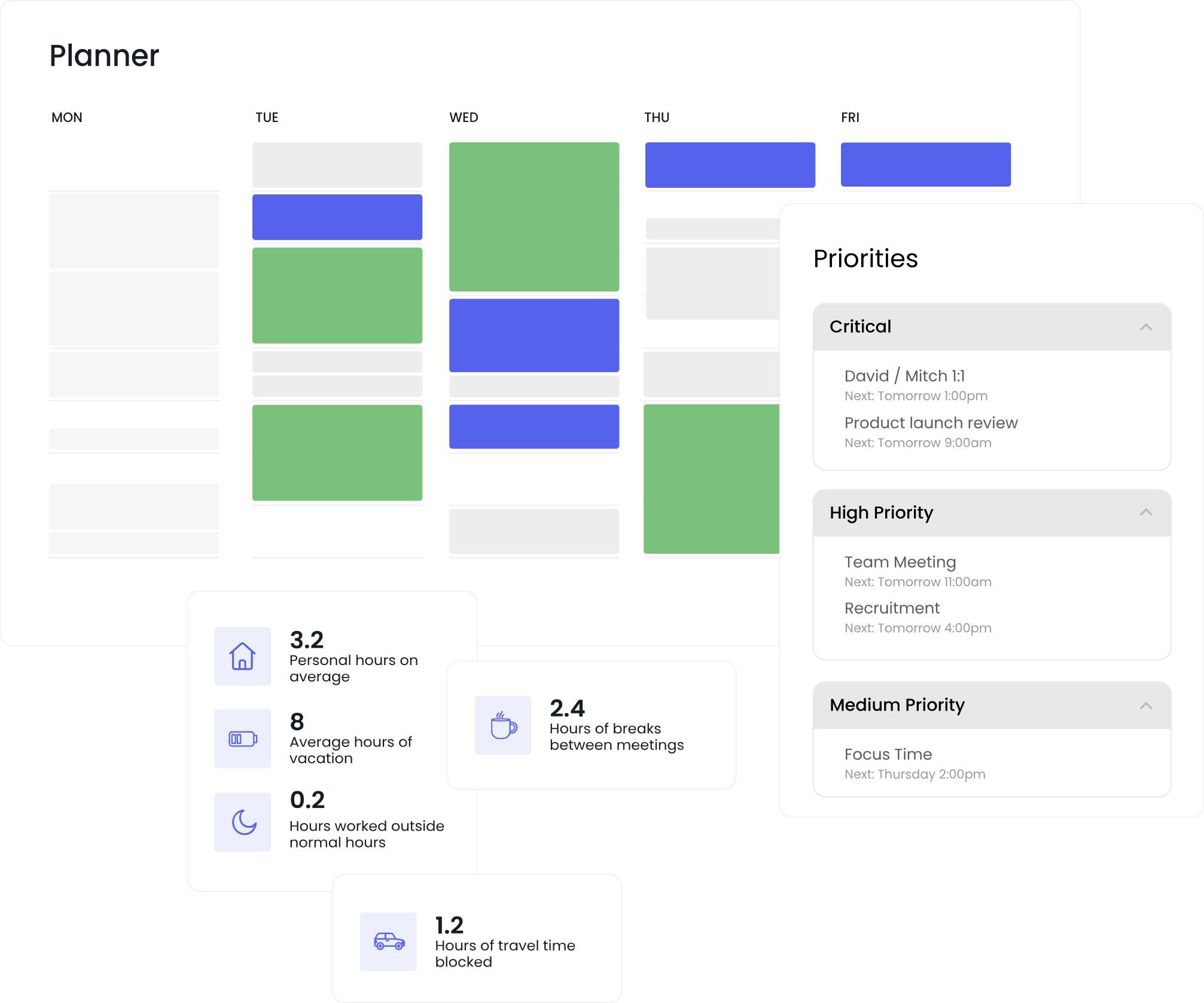
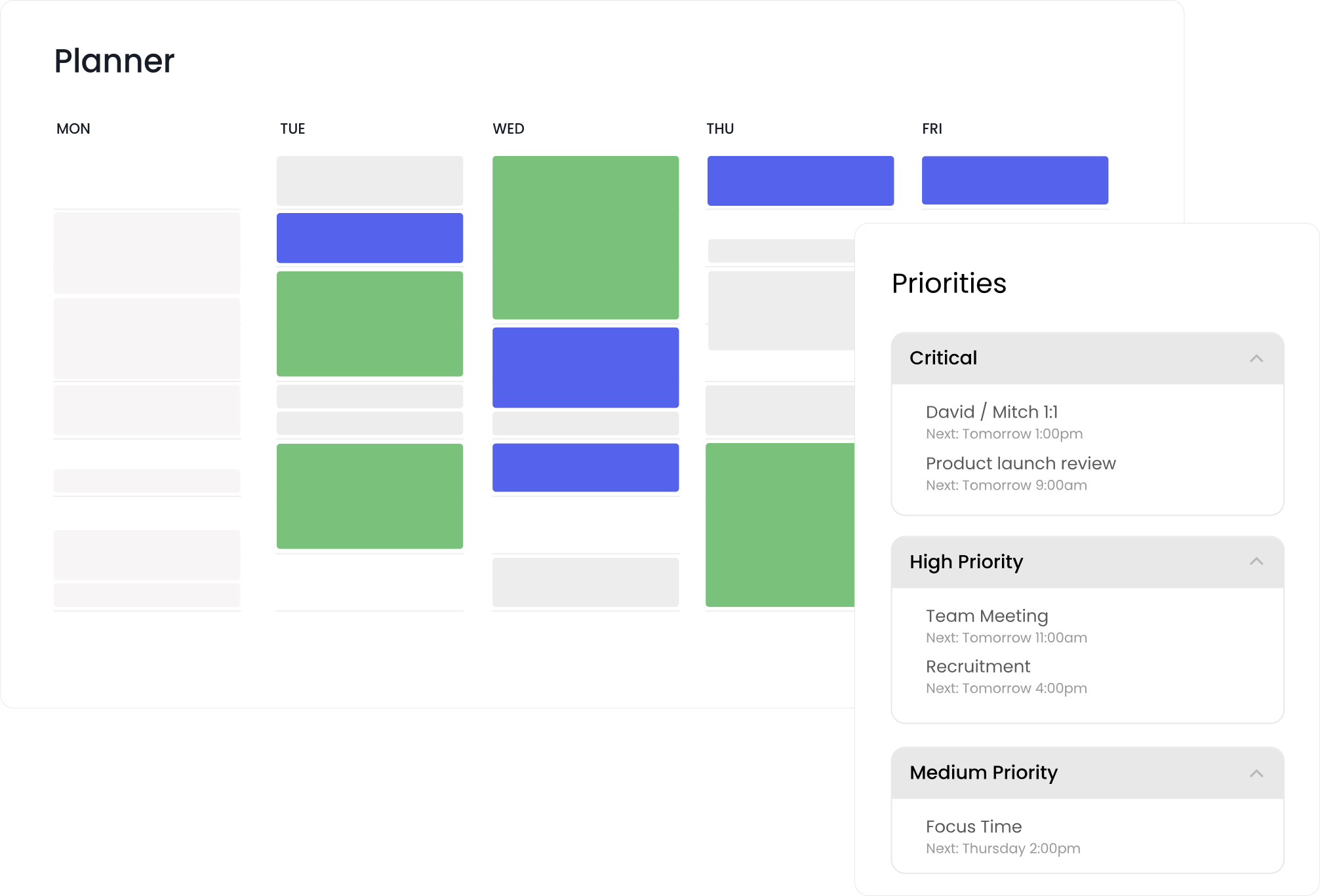
Outlook Calendar requires employees to manually decide when to schedule focus time, tasks, and personal commitments. As priorities shift throughout the week, keeping everything aligned often means continually adjusting the calendar by hand.

Reclaim automates priority-based scheduling, intelligently blocking time for deep work, routines, meetings, and key tasks. Employees can receive recommendations on what deserves attention next, while scheduling automation ensures important work stays protected as priorities change. The result is a schedule that stays aligned with what matters most without constant manual planning.

Advanced calendar sync

Outlook Calendar can make it difficult to coordinate availability across multiple work and personal calendars. As schedules become more complex, it's easy for conflicts, double bookings, and outdated availability to create unnecessary friction.

Reclaim keeps availability in sync across all connected calendars, helping prevent conflicts without duplicate events or manual workarounds. Flexible privacy controls let employees choose exactly what coworkers can see, ensuring calendars stay accurate, organized, and aligned without sacrificing personal privacy.

“My work schedule has changed significantly since I started using Reclaim. It's been a game-changer! I would be lost without it.”
Caroline Wakefield
Vice President - CTRS Solutions Ltd

Switch & save 20%

Save your team thousands of hours this year when you switch from Clockwise, Motion, Calendly, or another AI calendar app. Switch get 20% off your first 6 months.

Start a free 14-day trial →