Close

Reclaim.ai vs. Microsoft Viva Insights

Reclaim.ai — the #1 Microsoft Viva Insights alternative for workforce productivity. Get 20% off when you switch.

Sign up with Google Calendar

* Free forever: no credit card required.

Features & integrations
Reclaim
Reclaim
Viva
Insights
Viva Insights
Tasks
More info
Automatically schedule tasks to your calendar around your existing calendar events, by priority, before their due dates.
Flexible time blocking
More info
Keeps your schedule flexible with smart "free" and "busy" controls based on how busy your schedule is to maximize availability while defending your time.
Pricing
More info
Reclaim plans with Focus Time start at $10/user/month. Viva Insights costs $12/user/month for access to their Focus Plan capabilities.
$10 per month
$12 per month
G2 ratings
More info
Reclaim: 4.8/5 stars from 120+ reviews. Viva Insights: 4.5/5 stars from 43 reviews.
4.8/5 (120)
4.5/5 (43)
AI agents
More info
Reclaim includes a conversational AI assistant that helps users understand schedules, identify conflicts, analyze workloads, and optimize their time through natural language. Recommendations are presented with clear previews and remain human-in-the-loop, allowing users to review and approve scheduling actions before changes are made. Microsoft Viva Insights provides workplace analytics and recommendations, but does not offer AI agents that actively manage calendars and scheduling decisions.
AI chat
More info
Reclaim includes a conversational AI assistant that helps users understand schedules, identify conflicts, analyze workloads, and optimize their time through natural language. Recommendations are presented with clear previews and remain human-in-the-loop, allowing users to review and approve scheduling actions before changes are made. Microsoft Viva Insights provides recommendations and workplace insights, but does not include a dedicated AI chat experience for calendar optimization.
ChatGPT integration
More info
Reclaim integrates with ChatGPT, allowing users to access scheduling context, availability, and time management workflows directly through conversational AI. Microsoft Viva Insights is designed for the Microsoft ecosystem and does not offer a native ChatGPT integration for scheduling workflows.
Claude & Claude Cowork MCP
More info
Reclaim integrates with Claude through MCP, allowing users to securely access scheduling context, availability, and calendar workflows directly from Claude. Microsoft Viva Insights does not provide a native Claude MCP integration for scheduling and workforce time management workflows.
Tasks
More info
Reclaim syncs tasks from Jira, Asana, ClickUp, Todoist, Linear, Google Tasks, and other project management and task management tools, then automatically schedules time on the calendar to ensure work gets done. As priorities, deadlines, and schedules change, Reclaim continuously rebalances those time blocks so plans stay realistic and high-priority work stays protected. Microsoft Viva Insights provides workplace analytics and recommendations, but does not automatically schedule work from task management systems.
Task recommendations
More info
Reclaim's AI assistant can recommend what work to tackle next based on priorities, deadlines, available calendar capacity, and upcoming commitments. By connecting tasks from Jira, Asana, ClickUp, Todoist, Linear, Google Tasks, and other project management and task management tools, Reclaim helps employees make better decisions about where to focus their time. Microsoft Viva Insights provides workplace recommendations and productivity insights, but does not recommend specific work items from connected task systems based on calendar capacity.
Meeting agenda & follow-up email creation
More info
Reclaim's AI assistant can generate meeting agendas and follow-up emails using calendar context, meeting details, connected tasks, project management tools, and meeting transcripts. By incorporating context from Jira, Asana, ClickUp, Linear, Todoist, and prior meeting discussions, Reclaim helps teams prepare faster and keep action items aligned with ongoing work. Microsoft Viva Insights provides workplace recommendations and meeting insights, but does not generate agendas and follow-up communications from scheduling workflows.
Pre-meeting buffer time
More info
Reclaim automatically protects time before meetings so employees can prepare, review materials, gather context, and arrive ready to contribute. Buffer time continuously adapts as schedules change, helping teams reduce context switching and improve meeting effectiveness without manual calendar management. Microsoft Viva Insights can identify meeting overload and workplace patterns, but does not automatically reserve meeting preparation time on employee calendars.
Post-meeting buffer time
More info
Reclaim automatically protects time after meetings so employees can capture action items, update tasks, process decisions, and prepare for what's next. Buffer time continuously adapts as schedules change, helping teams reduce context switching and turn meetings into productive outcomes instead of unfinished work. Microsoft Viva Insights can identify meeting overload and workplace patterns, but does not automatically reserve post-meeting follow-up time on employee calendars.
AI focus time/focus plan
More info
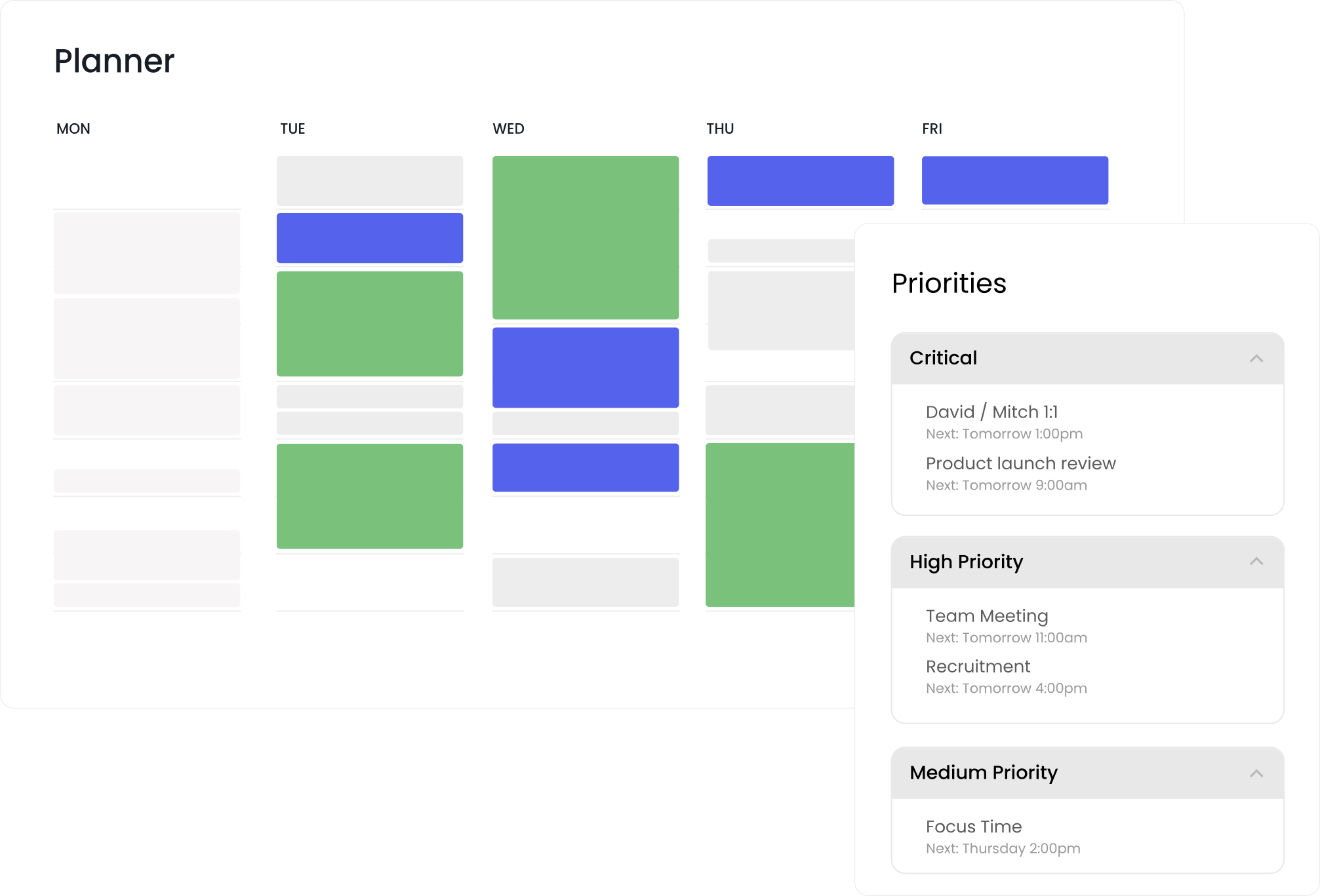
Set personalized Focus Time goals each week, and Reclaim intelligently schedules deep work around your meetings and priorities to help you achieve them. Viva Insights only supports fixed daily Focus Plans that don’t adapt to individual goals or changing schedules.
AI rescheduling & conflict resolution
More info
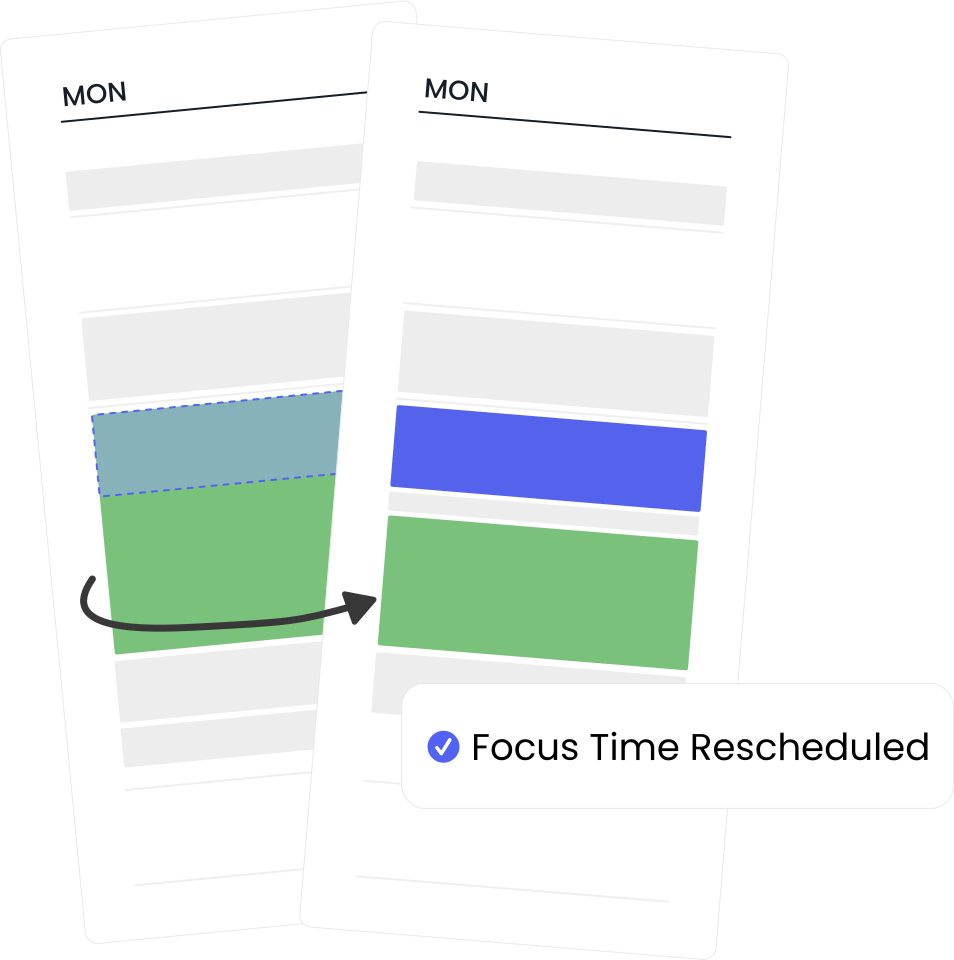
Automatically reschedule Focus Time (as well as Tasks, Habits, and AI Meetings) with AI when conflicts occur to keep your calendar flexible and optimized to your priorities — no manual cleanup needed. Viva Insights requires manual adjustment when schedules change.
Focus goals (team & organization)
More info
Reclaim empowers teams to align on company-wide Focus Time goals while letting every employee’s schedule adapt intelligently. Viva Insights enforces the same static Focus Plan for everyone, regardless of individual needs.
Focus scheduling modes
More info
In Reclaim, choose Proactive mode to pre-fill your week with Focus Time or Reactive mode to step in only when you’re falling behind. Viva Insights doesn’t offer adjustable scheduling modes.
Custom scheduling hours
More info
Set unique scheduling windows for Focus Time, tasks, habits, and personal events. Reclaim honors these individual preferences, while Viva Insights uses one blanket working-hours setting.
Smart meetings
More info
Reclaim’s AI-powered rescheduling makes conflict resolution effortless, by automatically detecting and alerting you to conflicts, and offering the best alternative time based on all attendees scheduling preferences, focus time, meeting policies, and calendar constraints. Smart Meetings continuously adapt as schedules change, eliminating the manual work of coordinating recurring meetings and resolving conflicts. Microsoft Viva Insights provides meeting analytics and recommendations, but does not automatically reschedule meetings across attendees.
Smart meeting breaks
More info
In Reclaim, automatically schedule short breaks after meetings with video links to reduce back-to-back fatigue. Viva Insights can only suggest breaks manually, not auto-book them.
Team OOO Calendar
More info
Reclaim automatically tracks and shares Out-of-Office time across teams in a shared calendar, then proactively adjusts meetings and tasks around availability so work stays on track without manual coordination. Microsoft Viva Insights does not offer a shared OOO calendar or automatically adjust meetings and tasks around team Out-of-Office time.
Habits (AI-powered recurring events)
More info
Automatically schedule recurring habits like workouts, planning sessions, or journaling in Reclaim. Viva Insight's Focus Plan can’t reserve custom recurring time.
Compare more features
Microsoft Viva Insights vs. Reclaim: What G2 users are saying
Reclaim
✅ Positives:
  • “Reclaim.ai truly changed my life. I gave it a try, and within a day, I decided to switch from another tool I had been using intensively. Instead of spending time on tedious daily and weekly calendar organization, I now just make a few clicks, and it takes care of everything automatically. It saves me about an hour every day - so much so that I realized I no longer needed to hire a personal assistant for calendar management. An absolute game-changer!” Source
  • “Loving reclaim.ai, specifically because it can integrate with my outlook work calendar and my two personal google calendars. I love that it will schedule around my meetings to make sure I get all of my tasks done on time. It has saved me a lot of time planning my day/week. I definitely get more done.” Source
🔴 Negatives:
  • “When I first started using Reclaim, it was a little confusing getting the calendars set up, so originally I only had a one-way setup. That got really annoying because I still had to check both calendars, so then I went back and figured out that I could sync all the calendars to each other.” Source
  • “Some of the main features, such as integration with various calendars, are inevitably paid. The cost is not high, however, there are other similar free tools.” Source
Microsoft Viva
✅ Positives:
  • “What I liked most about Microsoft Viva Insights is the idea of a new type of service, which promotes combating worker fatigue throughout the workday. This tool allows you to better manage your time and give more or less importance to certain daily tasks such as Teams meetings. If I'm not mistaken, this idea comes from the Productivity Score Tool, a tool that was not very successful. The use of this tool is not complex, you simply have to explore and try out each section a bit to test its usefulness.” (source)
  • “Viva Insights helps increase my productivity by providing insights into work patterns, identifying best times for focus in and meetings. It also helps me with my well-being by suggesting mindfulness exercises and ideal times for breaks. The number of features in the insights is beneficial for seeing a complete picture about my working trends and habits.” (source)
🔴 Negatives:
  • “The insights are not actionable most of the time. The advice is pretty generic sometimes. For instance - screentime and collaboration time is not really helpful for me, so it should give options to select which type of insights I actually want.” (source)
  • “Although Time management and analytics can be helpful, there are a few aspects I want to see improved. The reminder for taking breaks although helpful but I feel is too frequent. Plus I do not see options for customization. The UI is not user friendly setting my time for focusing for the first time literally took me about 20 - 25 mins.”  (source)

AI-powered focus time automation

The Focus plan in Viva Insights auto-schedules a single daily block up to two weeks ahead, but it’s static — any new meetings or shifting priorities require manual fixes. Reclaim’s AI-powered Focus Time dynamically schedules and reschedules around real-time changes, protecting deep work without upkeep. Set weekly goals, choose proactive or reactive modes, and fine-tune preferences like ideal time of day, block length, and daily limits.

Org & team-wide optimization

Viva Insights sets individual Focus goals but can’t optimize across teams or adapt to each employee’s unique schedule. Reclaim scales focus across the organization. Leaders define team or company goals, and AI automatically tailors them to every calendar — up to 12 weeks ahead. It syncs tasks from Jira, Asana, ClickUp, and Todoist, and coordinates Smart Meetings that flex around availability, reducing conflicts and manual coordination.

Actionable analytics

Viva Insights offers reflective analytics but doesn’t improve time management automatically. Reclaim turns insights into action. Employees track their Focus Time progress, managers spot workload and collaboration gaps, and leaders get org-wide visibility, enabling data-driven decision-making. The same AI that measures productivity also defends it — driving measurable, ongoing improvement.

“My work schedule has changed significantly since I started using Reclaim. It's been a game-changer! I would be lost without it.”
Caroline Wakefield
Vice President - CTRS Solutions Ltd

Switch & save 20%

Save your team thousands of hours this year when you switch from Clockwise, Motion or Calendly. Switch & save 20% your first 6 months.

Start a free 14-day trial →