LAUNCH PROMO: Attendee Users (AUs) are 100% free through July 31st. AUs are attendees without a paid Reclaim seat for Smart Meetings with 3+ people (2-person meetings do not require AUs), and are cumulative for a team account.
• Additional 3 AUs in Starter: $8/month • Additional 6 AUs in Starter: $16/month • Additional 9 AUs in Starter: $24/month • Additional 12 AUs in Starter: $32/month
Each additional 3-pack of AUs you purchase includes a free Starter seat you can assign to a member of your team.
LAUNCH PROMO: Attendee Users (AUs) are 100% free through July 31st. AUs are attendees without a paid Reclaim seat for Smart Meetings with 3+ people (2-person meetings do not require AUs), and are cumulative for a team account.
• Additional 6 AUs in Business: $12/month • Additional 12 AUs in Business: $24/month • Additional 18 AUs in Business: $36/month • Additional 24 AUs in Business: $48/month
Each additional 6-pack of AUs you purchase includes a free Business seat you can assign to a member of your team.
LAUNCH PROMO: Attendee Users (AUs) are 100% free through July 31st. AUs are attendees without a paid Reclaim seat for Smart Meetings with 3+ people (2-person meetings do not require AUs), and are cumulative for a team account.
• Additional 10 AUs in Enterprise: $18/month • Additional 20 AUs in Enterprise: $36/month • Additional 30 AUs in Enterprise: $54/month • Additional 40 AUs in Enterprise: $72/month
Each additional 10-pack of AUs you purchase includes a free Enterprise seat you can assign to a member of your team.
LAUNCH PROMO: Attendee Users (AUs) are 100% free through July 31st. AUs are attendees without a paid Reclaim seat for Smart Meetings with 3+ people (2-person meetings do not require AUs), and are cumulative for a team account. Learn more
• Additional 3 AUs in Starter: $10/month • Additional 6 AUs in Starter: $20/month • Additional 9 AUs in Starter: $30/month • Additional 12 AUs in Starter: $40/month
Each additional 3-pack of AUs you purchase includes a free Starter seat you can assign to a member of your team.
LAUNCH PROMO: Attendee Users (AUs) are 100% free through July 31st. AUs are attendees without a paid Reclaim seat for Smart Meetings with 3+ people (2-person meetings do not require AUs), and are cumulative for a team account.
• Additional 6 AUs in Business: $15/month • Additional 12 AUs in Business: $30/month • Additional 18 AUs in Business: $45/month • Additional 24 AUs in Business: $60/month
Each additional 6-pack of AUs you purchase includes a free Business seat you can assign to a member of your team.
LAUNCH PROMO: Attendee Users (AUs) are 100% free through July 31st. AUs are attendees without a paid Reclaim seat for Smart Meetings with 3+ people (2-person meetings do not require AUs), and are cumulative for a team account.
• Additional 10 AUs in Enterprise: $18/month • Additional 20 AUs in Enterprise: $36/month • Additional 30 AUs in Enterprise: $54/month • Additional 40 AUs in Enterprise: $72/month
Each additional 10-pack of AUs you purchase includes a free Enterprise seat you can assign to a member of your team.
Future time range for automated scheduling optimizations.
1 week
8 weeks
12 weeks
12 weeks
Google Calendar support
Connect and optimize your existing Google Calendar account with AI.
Outlook Calendar support
Connect and optimize your existing Outlook Calendar account with AI.
Connected Calendars
Set your availability across multiple Google & Outlook calendars & accounts when scheduling smart events.
2
Connected Calendars
Unlimited
Connected Calendars
Unlimited
Connected Calendars
Unlimited
Connected Calendars
Calendar Syncs (12 month scheduling range)
Sync & copy events between Google & Outlook calendars to defend your availability across multiple schedules.
Calendar Sync
1
Unlimited
Calendar Syncs
Unlimited
Calendar Syncs
Unlimited
Calendar Syncs
Planner
AI-powered Planner that centralizes all of your calendars and helps you optimize your time via chat, agents, and manual human controls.
Universal priorities across calendar events
Map all events on your calendar from Critical (P1) to Low (P4) priority so your schedule reflects what’s most important every week.
No-Meeting Days
Set up smart No-Meeting Days for your team to focus on productive work & reduce burnout.
No-Meeting Days
No-Meeting Days
No-Meeting Days
No-Meeting Days
Daily digests (conflict recommendation & agenda)
Get daily email and Slack digests on key conflicts and calendar issues to resolve, with one-click fixes to rebalance your schedule.
Smart Color-Coding
Smart Color-Coding
Smart Color-Coding
Smart Color-Coding
Time Blocking Customization
Customize & control how events appear on your calendar with event titles, descriptions, emojis, & visibility settings. Learn more
Default settings
Time Blocking Customization
Full customization
Time Blocking Customization
Full customization
Time Blocking Customization
Full customization
Custom Hours Settings
Set custom scheduling ranges for your smart calendar events.
Custom Hours Settings
Custom Hours Settings
Custom Hours Settings
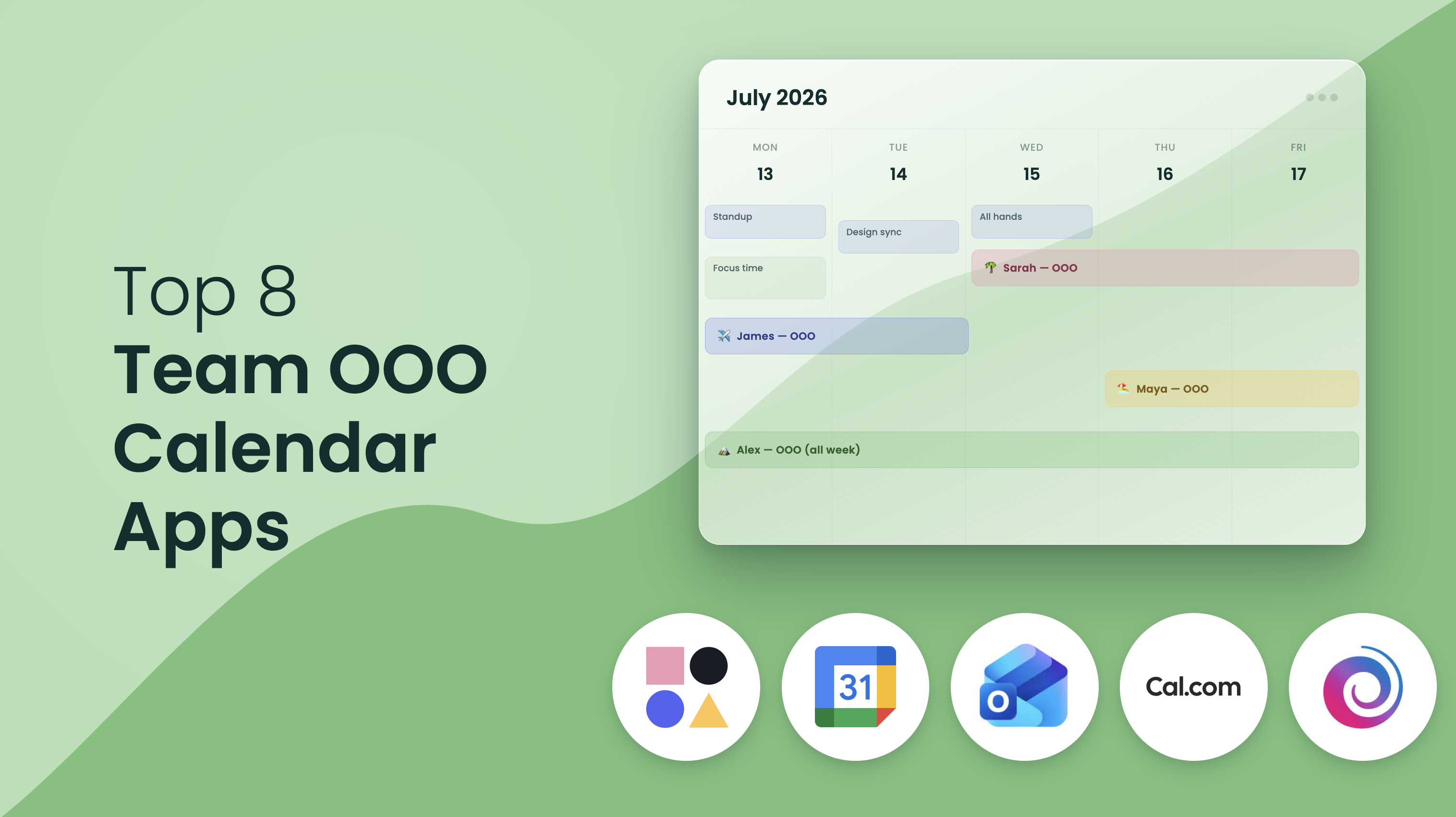
Team OOO Calendar
Automatically sync employees PTO and out-of-office events to a team calendar to optimize scheduling and coordination.
Calendar Sync
Calendar Syncs
Calendar Syncs
Calendar Syncs
Delegated Access
Allow team members to manage your Reclaim account on your behalf — great for EAs and collaboration.
Calendar Sync
Calendar Syncs
Calendar Syncs
Calendar Syncs
AI
AI Agents
Create specialized agents to continuously optimize your schedule across Focus Time, Habits, Buffer Time, Smart Meeting, and Meeting Quality agents.
Organizer Meeting
5
10
Organizer Meetings
Unlimited
Organizer Meetings
Unlimited
Organizer Meetings
AI Assistant (LLM chat)
AI LLM chat that helps you analyze your schedule, fix conflicts, find time to meet, and set up new agents that continuously work on your behalf.
Attendee Meetings
Limited
Attendee Meetings
Standard
Attendee Meetings
Expanded
Attendee Meetings
Unlimited
AI Memories
Create AI Memories that store, recall, and utilize your personal preferences to maintain context for future optimizations.
Auto-Rescheduling
Limited
Auto-Rescheduling
Auto-Rescheduling
Auto-Rescheduling
Attendee Users
Attendee Users are attendees of 3+ person Smart Meetings who do not have a paid Reclaim seat.
Automatically Convert 1:1s
Automatically Convert 1:1s
3
Automatically Convert 1:1s
6
Automatically Convert 1:1s
10
Focus Time Agents
Focus Time Agents
Set a weekly Focus Time goal, and automatically defend time to get stuff done around your existing calendar events.
Habits
Habits
Habits
Habits
Proactive Focus Time mode
Automatically defend Focus Time on your calendar using your weekly goal target.
Lunch Habit
Lunch Habit
Lunch Habit
Lunch Habit
Reactive Focus Time mode
Only defend Focus Time when my week gets too full using a daily and/or weekly minimum to keep your schedule open until you're at risk of missing your goal.
Focus Time
Focus Time
Focus Time
Focus Time
Auto-decline meetings during Focus Time
Optional setting to auto-decline meeting invites during Focus events as an extra layer of protection for your defended Focus Time hours.
Time Defense Settings
Time Defense Settings
Time Defense Settings
Time Defense Settings
Focus Time team templates
Create a recommended Focus Time template for everyone on your team to adopt and activate in their onboarding.
Time Defense Settings
Time Defense Settings
Time Defense Settings
Time Defense Settings
Focus Time company OKR
Set an organization-wide Focus Time goal for all employees and automatically enable it to start optimizing time across everyones calendars.
Time Defense Settings
Time Defense Settings
Time Defense Settings
Time Defense Settings
Focus Time enterprise reports
Get weekly reports on your Focus Time performance across the company, with personalized presentation summaries and data exports delivered to your leadership team right through Slack.
Time Defense Settings
Time Defense Settings
Time Defense Settings
Time Defense Settings
Habits Agents
Habits Agents
AI-powered recurring events that automatically find the best time within your smart schedule windows.
Habits
Habits
Habits
Habits
Habit templates
Browse your Habit template library to activate both work and life routines optimizations across your calendar in one click.
Habit Templates
Habit Templates
Habit Templates
Habit Templates
Lunch Habit
Automatically block lunch every day at the best time around your busy schedule.
Lunch Habit
Lunch Habit
Lunch Habit
Lunch Habit
Habit time defense settings
Set the priority for your Habits & optional time defense settings to show them as always free or always busy.
Time Defense Settings
Time Defense Settings
Time Defense Settings
Time Defense Settings
Buffer Time Agents
Post-Meeting Buffer Scheduling
Defend breaks automatically after video call events so you have time to reset & prepare for your next meeting.
Smart Meeting Breaks
Smart Meeting Breaks
Smart Meeting Breaks
Smart Meeting Breaks
Pre-Meeting Buffer Scheduling
Defend prep time before meeting with key attendees, sales meetings, recruitment meetings, or any and all meetings to ensure your're ready for your next call.
Task & Habit Breaks
Task & Habit Breaks
Task & Habit Breaks
Task & Habit Breaks
Integrated Pre/Post-Meeting Notes into Buffers
Create custom agents to populate pre-meeting notes into your prep time from context from your past meeting recordings and connected work integrations.
Smart Travel Time
Smart Travel Time
Smart Travel Time
Smart Travel Time
Travel Time Buffers
Automatically protect travel time around external events that require commute.
Smart Meeting Breaks
Smart Meeting Breaks
Smart Meeting Breaks
Smart Meeting Breaks
Airport Travel Time Buffers
Automatically protect airport travel time before and after flights on the calendar.
Smart Meeting Breaks
Smart Meeting Breaks
Smart Meeting Breaks
Smart Meeting Breaks
Smart Meeting Agents
Smart Meetings (owned)
Convert your recurring meetings to Smart Meetings in one click to automatically monitor, prioritize, and resolve scheduling conflicts across your meetings.
Organizer Meeting
Organizer Meetings
Organizer Meetings
Organizer Meetings
Meeting conflict notifications
Get prioritized notifications around scheduling conflicts and meeting quality issues to take action on.
Attendee Meetings
Attendee Meetings
Attendee Meetings
Attendee Meetings
Auto-rescheduling recommendations
Resolve scheduling conflicts in one click with AI-powered recommendations that optimize around every attendees availability and priorities.
Auto-Rescheduling
Auto-Rescheduling
Auto-Rescheduling
Auto-Rescheduling
AI meeting agenda creation
Use chat to quickly generate meeting agendas and add them to your meetings, using context and information from your connected apps.
Auto-Rescheduling
Auto-Rescheduling
Auto-Rescheduling
Auto-Rescheduling
AI meeting follow-up email/message generation
Analyze connected Zoom meeting notes and transcripts to generate follow-up email or chat messages based on your meeting conversations.
Auto-Rescheduling
Auto-Rescheduling
Auto-Rescheduling
Auto-Rescheduling
AI meeting transcript sync
Automatically sync transcripts and meeting notes from Zoom to generate recommended action items to defend time for from your meeting.
Auto-Rescheduling
Auto-Rescheduling
Auto-Rescheduling
Auto-Rescheduling
Meeting Quality Agents
RSVP Reminder Agent
Flag invites that still need your response and nudge you to accept, decline, or propose a new time—so organizers can plan and your calendar stays accurate.
Habits
Habits
Habits
Habits
Video Link Check Agent
Identify meetings that are missing a conferencing link and help you fix them. Choose to auto-add video links or simply get a warning so meetings start smoothly.
Habit Templates
Habit Templates
Habit Templates
Habit Templates
Attendee Availability Agent
Get notified when a significant number of attendees decline a meeting you organized or they have a conflict that overlaps it, so you can reschedule, cancel, or find a better time.
Lunch Habit
Lunch Habit
Lunch Habit
Lunch Habit
Room & Resource Decline Alert Agent
Get notified when a room or resource you booked declines the invitation, so you can find an alternative before your meeting.
Time Defense Settings
Time Defense Settings
Time Defense Settings
Time Defense Settings
Scheduling Links
Scheduling Links
Share your availability for meetings with Scheduling Links that offer smart priority settings to book the right meetings sooner.
1
Scheduling Link
3
Scheduling Links
Unlimited
Scheduling Links
Unlimited
Scheduling Links
High-priority links
Offer up your max availability with advanced priority settings to show lower-priority smart events & deprioritized non-Reclaim events as available time slots.
High-Priority Links
High-Priority Links
High-Priority Links
High-Priority Links
Flexible durations
Add up to 3 meeting length options to a Scheduling Link so people can view your availability by open durations.
Flexible Durations
Flexible Durations
Flexible Durations
Flexible Durations
Booking pages / link groups
Create Booking Pages with Link Groups to share multiple Scheduling Links on one page.
Booking Pages
Booking Pages
Booking Pages
Booking Pages
Website & email embeds
Embed Scheduling Links on your website or directly in emails for easy booking.
Website & email embeds
Website & email embeds
Website & email embeds
Website & email embeds
Max Bookings caps
Set the maximum number of meetings that can be booked per day/week for a Scheduling Link.
Max Bookings
Max Bookings
Max Bookings
Max Bookings
Email Reminders
Send email reminders to attendees ahead of meetings booked via Scheduling Links.
Email Reminders
Email Reminders
Email Reminders
Email Reminders
Team Scheduling Links
Share mutual availability for your team to book meetings that work for everyone's schedule.
Team Scheduling Links
Team Scheduling Links
Team Scheduling Links
Screening questions
Ask custom questions before a meeting is booked to screen & qualify invitees through your Scheduling Links.
Screening questions
Screening questions
Screening questions
One-off Scheduling Links
Create custom Scheduling Links for specific meetings.
One-off Scheduling Links
One-off Scheduling Links
One-off Scheduling Links
Round-robin links
Schedule meetings on a rotating basis across your team to balance your meeting load and offer more availability.
Screening questions
Screening questions
Screening questions
Redirect URLs
Direct schedulers to a custom landing page after booking a meeting with your Scheduling Link.
Redirect URLs
Redirect URLs
Branding settings / remove Reclaim branding
Remove Reclaim branding from your booking pages.
Email Reminders
Email Reminders
Email Reminders
Email Reminders
Webhooks support
Send events to your CRM or any other destination when meetings are booked, rescheduled, or canceled.
Email Reminders
Email Reminders
Email Reminders
Email Reminders
Tasks & PM Integrations
Tasks time-blocking
Quickly prioritize your task list and schedule time for your tasks through easy AI chat.
Tasks
Tasks
Tasks
Tasks
Tasks time tracking & timers
Track your time across tasks, and use task timers to measure and log time to the calendar for accurate reporting.
Tasks
Tasks
Tasks
Tasks
Task recommendations from meetings
Automatically sync your task list from Google Tasks, and prioritize and schedule time for your important work.
Tasks
Tasks
Tasks
Tasks
Google Tasks integration
Auto-schedule your Google Tasks in Google Calendar via Reclaim to find the best time for your work before it's due.
Google Tasks integration
Google Tasks integration
Google Tasks integration
Google Tasks integration
Todoist integration
Automatically sync your task list from Todoist, and prioritize and schedule time for your important work.
Todoist integration
Todoist integration
Todoist integration
Asana integration
Automatically sync your task list from Asana, and prioritize and schedule time for your important work.
Asana integration
Asana integration
Asana integration
ClickUp integration
Automatically sync your task list from ClickUp, and prioritize and schedule time for your important work.
ClickUp integration
ClickUp integration
ClickUp integration
Jira integration
Automatically sync your task list from Jira, and prioritize and schedule time for your important work.
Jira integration
Jira integration
Jira integration
Linear integration
Automatically sync your task list from Linear, and prioritize and schedule time for your important work.
Linear integration
Linear integration
Linear integration
Extensions & Platform
ChatGPT integration
Connect Reclaim to ChatGPT to automatically manage, optimize, and analyze your time right from ChatGPT.
Slack Status Sync
Read only
Slack Status Sync
Slack Status Sync
for Slack Status Sync
Claude/Claude Code MCP
Connect Reclaim to Claude and Claude Code via MPC to automatically manage, optimize, and analyze your time right from Claude.
Zoom
Read only
Zoom
Zoom
Zoom
Microsoft Copilot / Copilot Cowork MCP
Connect Reclaim to Microsoft Copilot via MPC to automatically manage, optimize, and analyze your time right from Copilot.
Google Meet
Read only
Google Meet
Google Meet
Google Meet
Slack integration (+ Slack Status Sync)
Automatically sync your Slack status and DND to your calendar to prevent interruptions, and manage and optimize your schedule right from Slack.
Raycast
Raycast
Raycast
Raycast
Zoom meetings & transcripts integration
Automatically pull transcripts from meetings, create and manage Zoom links for your meetings, and auto-update your Slack status when you join/leave a Zoom call to reduce interruptions.
Google Calendar & Gmail Add-on
Google Calendar & Gmail Add-on
Google Calendar & Gmail Add-on
Google Calendar & Gmail Add-on
Google Meet auto-add
Auto-add Google Meet links to your Smart Meetings and Scheduling Links.
Google Calendar & Gmail Add-on
Google Calendar & Gmail Add-on
Google Calendar & Gmail Add-on
Google Calendar & Gmail Add-on
Raycast extension
AI command launcher for Mac that allows you to quickly create Tasks, share Scheduling Links, see upcoming calendar events, start Tasks & Habits, & join meetings on the fly.
Google Calendar & Gmail Add-on
Google Calendar & Gmail Add-on
Google Calendar & Gmail Add-on
Google Calendar & Gmail Add-on
Google Calendar & Gmail add-on
Manage your smart calendar events right from Google Calendar & add or create custom Scheduling Links in Gmail.
Google Calendar & Gmail Add-on
Google Calendar & Gmail Add-on
Google Calendar & Gmail Add-on
Google Calendar & Gmail Add-on
Microsoft Teams support
Auto-add Microsoft Teams meeting links to your Smart Meetings and Scheduling Links.
Google Calendar & Gmail Add-on
Google Calendar & Gmail Add-on
Google Calendar & Gmail Add-on
Google Calendar & Gmail Add-on
Analytics
Weekly productivity reports
Automatic weekly productivity reports sent right to your email.
Weekly Reports
Weekly Reports
Weekly Reports
Weekly Reports
Productivity stats / time tracking
Analyze your productivity with calendar stats on time spent across meetings, tasks, routines & personal time.
Productivity Stats
Productivity Stats
Productivity Stats
Productivity Stats
Team analytics stats
Analyze team productivity across meetings, focus time, and work-life balance to improve performance and reduce burnout across your team.
Team Analytics Stats
Team Analytics Stats
Team Analytics Stats
Workforce Analytics (org-mapping)
Analyze workforce productivity across the organization, departments, and teams to improve decision making and remove barriers to work.
Support
Support
Support
Support
Workforce Analytics exports
Get in-depth time intelligence exports to map data points to your internal systems.
Max Users Across Domain
Max Users Across Domain
Max Users Across Domain
Users Across Domain
Baseline org performance review
Get a pre-Reclaim performance report across your team to capture baseline metrics and set realistic goals to optimize across your workforce.
SSO & SCIM User Provisioning
Benchmarks
Get access to industry benchmark data on average focus time and meeting time per week across roles and departments to analyze company productivity against market averages.
User & Role Management
User & Role Management
User & Role Management
Admin / Security / Support
Support tier
Get quick support for troubleshooting your Reclaim account.
Community
Support
Basic
Support
Priority
Support
Dedicated
Support
Max users across domain
The max number of Reclaim users you can have across your company's domain.
100
Max Users Across Domain
100
Max Users Across Domain
100
Max Users Across Domain
Unlimited
Users Across Domain
Account settings & templates
Set default Habits, Hours, and more for your team to promote a productive culture.
SSO & SCIM User Provisioning
User & role management
Manage administrative & billing controls for your Reclaim account.
User & Role Management
User & Role Management
User & Role Management
Security reviews
Get dedicated security & vendor reviews.
Security Reviews
Security Reviews
Company onboarding
Set up an in-depth onboarding & training workshop for your team to help your organization get the most out of Reclaim.
Company Onboarding
Company Onboarding
SSO & SCIM user provisioning
Automatically provision & deprovision Reclaim users via SCIM as well as dedicated SSO support.
SSO & SCIM User Provisioning
Domain capture
Automatically onboard new team members securely into your enterprise account.
SSO & SCIM User Provisioning
Domain Capture
Automatically add users from your domains to your Reclaim team.
We designed Reclaim’s pricing and product experience to work fantastically for individuals, but Reclaim gets more and more powerful as you scale it out to your teams and company. When the whole company uses Reclaim to intelligently schedule their meetings and heads-down time, everyone’s calendars become more optimized and flexible, which unlocks increased time savings and productivity.
Oftentimes, we see individuals or teams initially upgrade to use Reclaim across their calendars, and then advocate for upgrading the entire company.
If you’re a team looking to roll Reclaim out, or if you have questions about how to advocate for upgrading your company, book time with us here.
The free Lite plan is available for any single user at no cost. Our paid plans are tiered by team size, though you can upgrade from Starter to Business to unlock additional features for your account. We offer a 29% discount for annual billing vs. monthly.
We accept all major credit cards. Contact us at [email protected] to discuss additional payment methods. Some payment methods may require a minimum purchase.
Absolutely! We hold demo webinars every other week. Join us for our next one! If you’d like a demo for your entire team, send us a note through our contact form.
Reach out through our contact form, or send us a note at [email protected], and our security team will happily assist with all of your security requirements.