LAUNCH PROMO: Attendee Users (AUs) are 100% free through July 31st. AUs are attendees without a paid Reclaim seat for Smart Meetings with 3+ people (2-person meetings do not require AUs), and are cumulative for a team account.
• Additional 3 AUs in Starter: $8/month • Additional 6 AUs in Starter: $16/month • Additional 9 AUs in Starter: $24/month • Additional 12 AUs in Starter: $32/month
Each additional 3-pack of AUs you purchase includes a free Starter seat you can assign to a member of your team.
LAUNCH PROMO: Attendee Users (AUs) are 100% free through July 31st. AUs are attendees without a paid Reclaim seat for Smart Meetings with 3+ people (2-person meetings do not require AUs), and are cumulative for a team account.
• Additional 6 AUs in Business: $12/month • Additional 12 AUs in Business: $24/month • Additional 18 AUs in Business: $36/month • Additional 24 AUs in Business: $48/month
Each additional 6-pack of AUs you purchase includes a free Business seat you can assign to a member of your team.
• 12 week scheduling range (exc. Scheduling Links)
i
• Unlimited Focus Time
i
• Unlimited Scheduling Links
i
• Unlimited Smart Meetings
i
• Unlimited Habits
i
• Unlimited Calendar Sync
i
• Unlimited integrations
i
• People Analytics & Time Tracking
i
• Unlimited Tasks
i
• Unlimited Buffer Time
i
• OOO Calendar
i
• Delegated Access
i
• Webhooks support
i
LAUNCH PROMO: Attendee Users (AUs) are 100% free through July 31st. AUs are attendees without a paid Reclaim seat for Smart Meetings with 3+ people (2-person meetings do not require AUs), and are cumulative for a team account.
• Additional 10 AUs in Enterprise: $18/month • Additional 20 AUs in Enterprise: $36/month • Additional 30 AUs in Enterprise: $54/month • Additional 40 AUs in Enterprise: $72/month
Each additional 10-pack of AUs you purchase includes a free Enterprise seat you can assign to a member of your team.
LAUNCH PROMO: Attendee Users (AUs) are 100% free through July 31st. AUs are attendees without a paid Reclaim seat for Smart Meetings with 3+ people (2-person meetings do not require AUs), and are cumulative for a team account. Learn more
• Additional 3 AUs in Starter: $10/month • Additional 6 AUs in Starter: $20/month • Additional 9 AUs in Starter: $30/month • Additional 12 AUs in Starter: $40/month
Each additional 3-pack of AUs you purchase includes a free Starter seat you can assign to a member of your team.
LAUNCH PROMO: Attendee Users (AUs) are 100% free through July 31st. AUs are attendees without a paid Reclaim seat for Smart Meetings with 3+ people (2-person meetings do not require AUs), and are cumulative for a team account.
• Additional 6 AUs in Business: $15/month • Additional 12 AUs in Business: $30/month • Additional 18 AUs in Business: $45/month • Additional 24 AUs in Business: $60/month
Each additional 6-pack of AUs you purchase includes a free Business seat you can assign to a member of your team.
• 12 week scheduling range (exc. Scheduling Links)
i
• Unlimited Focus Time
i
• Unlimited Scheduling Links
i
• Unlimited Smart Meetings
i
• Unlimited Habits
i
• Unlimited Calendar Sync
i
• Unlimited integrations
i
• People Analytics & Time Tracking
i
• Unlimited Tasks
i
• Unlimited Buffer Time
i
• OOO Calendar
i
• Delegated Access
i
• Webhooks support
i
LAUNCH PROMO: Attendee Users (AUs) are 100% free through July 31st. AUs are attendees without a paid Reclaim seat for Smart Meetings with 3+ people (2-person meetings do not require AUs), and are cumulative for a team account.
• Additional 10 AUs in Enterprise: $18/month • Additional 20 AUs in Enterprise: $36/month • Additional 30 AUs in Enterprise: $54/month • Additional 40 AUs in Enterprise: $72/month
Each additional 10-pack of AUs you purchase includes a free Enterprise seat you can assign to a member of your team.
Schedule smart time blocks in advance to defend your calendar ahead of time.
1 week
Connected Calendars
8 weeks
Connected Calendars
12 weeks
Connected Calendars
12 weeks
Connected Calendars
Connected Calendars
Set your availability across multiple Google & Outlook calendars & accounts when scheduling smart events.
2
Connected Calendars
Unlimited
Connected Calendars
Unlimited
Connected Calendars
Unlimited
Connected Calendars
Calendar Syncs
Sync & copy events between Google & Outlook calendars to defend your availability across multiple schedules.
Calendar Sync
1
Unlimited
Calendar Syncs
Unlimited
Calendar Syncs
Unlimited
Calendar Syncs
Calendar Sync Range
Sync & copy events between Google & Outlook calendars to defend your availability ahead of time.
Connected Calendars
12 months
Connected Calendars
12 months
Connected Calendars
12 months
Connected Calendars
Universal Priorities
Map all events on your calendar from Critical (P1) to Low (P4) priority so your schedule reflects what’s most important every week.
Calendar Sync
Calendar Syncs
Calendar Syncs
Calendar Syncs
No-Meeting Days
Set up smart No-Meeting Days for your team to focus on productive work & reduce burnout.
No-Meeting Days
No-Meeting Days
No-Meeting Days
No-Meeting Days
Smart Color-Coding
Automatically categorize & color-code your calendar.
Smart Color-Coding
Smart Color-Coding
Smart Color-Coding
Smart Color-Coding
Scheduling Hours Settings
Customize your availability for smart calendar events through working, personal, & meeting hours.
Scheduling Hours Settings
Scheduling Hours Settings
Scheduling Hours Settings
Scheduling Hours Settings
Planner
Your smart calendar planner with advanced availability views to manage & auto-reschedule your Reclaim events.
Planner
Planner
Planner
Planner
Weekly Productivity Reports
Automatic weekly productivity reports sent right to your email.
Weekly Reports
Weekly Reports
Weekly Reports
Weekly Reports
Time Tracking
Analyze your productivity with calendar stats on time spent across meetings, tasks, routines & personal time.
Productivity Stats
Productivity Stats
Productivity Stats
Productivity Stats
Team Analytics Stats
Analyze team productivity across meetings, focus time, and work-life balance to improve performance and reduce burnout across your team.
Team Analytics Stats
Team Analytics Stats
Team Analytics Stats
Time Blocking Customization
Customize & control how events appear on your calendar with event titles, descriptions, emojis, & visibility settings. Learn more
Time Blocking Customization
Time Blocking Customization
Time Blocking Customization
Custom Hours Settings
Set custom scheduling ranges for your smart calendar events.
Custom Hours Settings
Custom Hours Settings
Custom Hours Settings
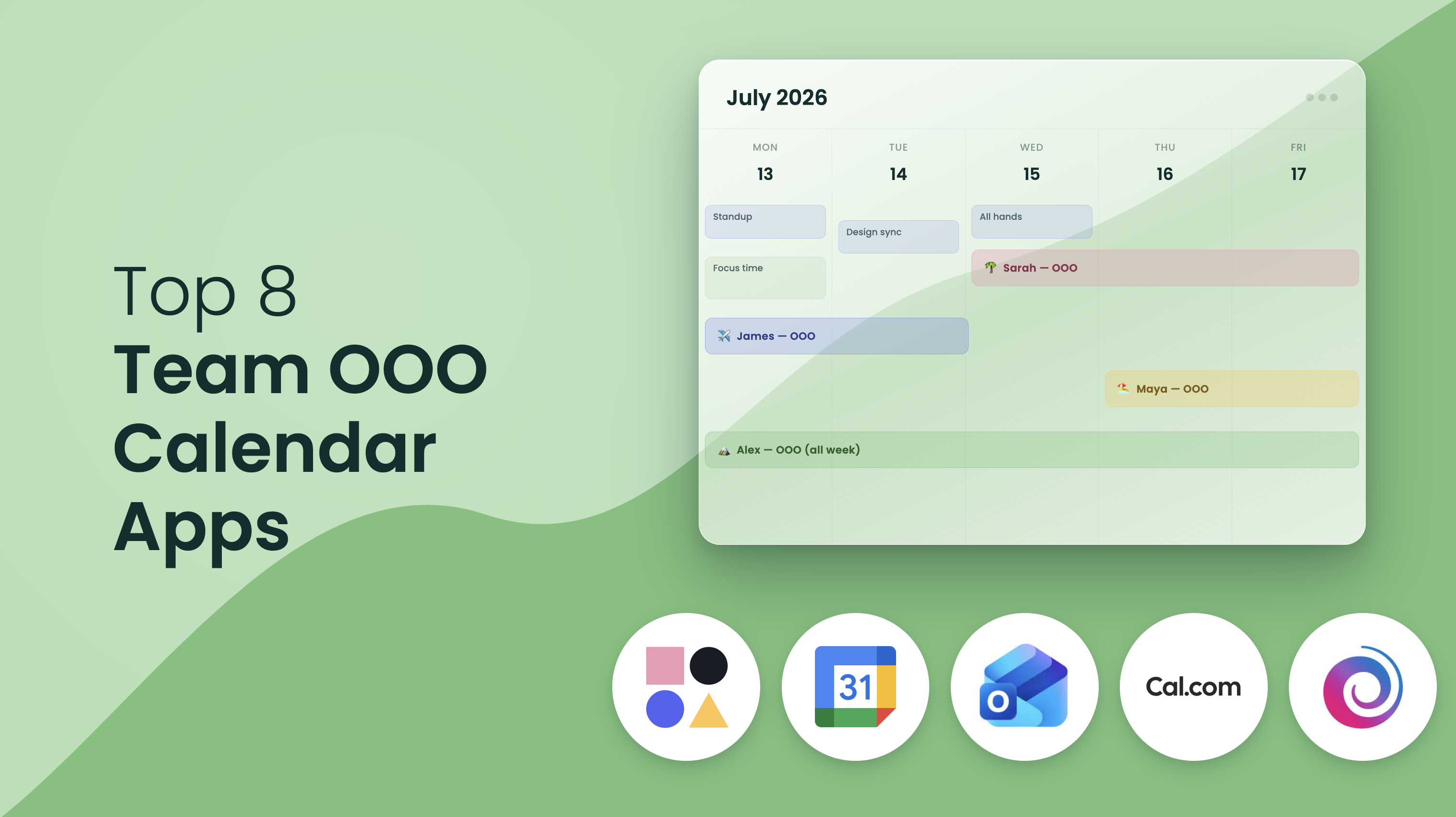
OOO Calendar
Automatically sync employees PTO and out-of-office events to a team calendar to optimize scheduling and coordination.
Calendar Sync
Calendar Syncs
Calendar Syncs
Calendar Syncs
Delegated Access
Allow team members to manage your Reclaim account on your behalf — great for EAs and collaboration.
Calendar Sync
Calendar Syncs
Calendar Syncs
Calendar Syncs
Focus Time
Unlimited Focus Time
Set a weekly Focus Time goal, and automatically defend time to get stuff done around your existing calendar events
Habits
Habits
Habits
Habits
Focus Time goal tracking
Automatically track your progress to your Focus Time goal with analytics to understand how you're spending your time.
Habit Templates
Habit Templates
Habit Templates
Habit Templates
Focus Time proactive mode
Automatically defend Focus Time on your calendar using your weekly goal target.
Lunch Habit
Lunch Habit
Lunch Habit
Lunch Habit
Focus Time reactive mode
Only defend Focus Time when my week gets too full using a daily and/or weekly minimum to keep your schedule open until you're at risk of missing your goal.
Focus Time
Focus Time
Focus Time
Focus Time
Auto-decline meetings setting
Optional setting to auto-decline meeting invites during Focus events as an extra layer of protection for your defended Focus Time hours.
Time Defense Settings
Time Defense Settings
Time Defense Settings
Time Defense Settings
Focus Time Team Templates
Create a recommended Focus Time template for everyone on your team to adopt and activate in their onboarding.
Time Defense Settings
Time Defense Settings
Time Defense Settings
Time Defense Settings
Focus Time Company OKR
Set an organization-wide Focus Time goal for all employees and automatically enable it to start optimizing time across everyones calendars.
Time Defense Settings
Time Defense Settings
Time Defense Settings
Time Defense Settings
Focus Time Enterprise Reports
Get weekly reports on your Focus Time performance across the company, with personalized presentation summaries and data exports delivered to your leadership team right through Slack.
Time Defense Settings
Time Defense Settings
Time Defense Settings
Time Defense Settings
Habits
Habits
Schedule flexible time on your calendar for your regular routines.
1
Habits
Unlimited
Habits
Unlimited
Habits
Unlimited
Habits
Habit templates
Choose from 100+ customizable Habit templates to set up popular routines for roles in Product, Engineering, Marketing, & more.
Habit Templates
Habit Templates
Habit Templates
Habit Templates
Lunch Habit support
Automatically block lunch every day at the best time around your busy schedule.
Lunch Habit
Lunch Habit
Lunch Habit
Lunch Habit
Habit time defense settings
Set the priority for your Habits & optional time defense settings to show them as always free or always busy.
Time Defense Settings
Time Defense Settings
Time Defense Settings
Time Defense Settings
Scheduling Links
Scheduling Links
Share your availability for meetings with Scheduling Links that offer smart priority settings to book the right meetings sooner.
1
Scheduling Link
3
Scheduling Links
Unlimited
Scheduling Links
Unlimited
Scheduling Links
High-Priority settings
Offer up your max availability with advanced priority settings to show lower-priority smart events & deprioritized non-Reclaim events as available time slots.
High-Priority Links
High-Priority Links
High-Priority Links
High-Priority Links
Flexible Duration settings
Add up to 3 meeting length options to a Scheduling Link so people can view your availability by open durations.
Flexible Durations
Flexible Durations
Flexible Durations
Flexible Durations
Booking Pages
Create Booking Pages with Link Groups to share multiple Scheduling Links on one page.
Booking Pages
Booking Pages
Booking Pages
Booking Pages
Website & email embeds
Embed Scheduling Links on your website or directly in emails for easy booking.
Website & email embeds
Website & email embeds
Website & email embeds
Website & email embeds
Max Bookings
Set the maximum number of meetings that can be booked per day/week for a Scheduling Link.
Max Bookings
Max Bookings
Max Bookings
Max Bookings
Email Reminders
Send email reminders to attendees ahead of meetings booked via Scheduling Links.
Email Reminders
Email Reminders
Email Reminders
Email Reminders
Team Scheduling Links support
Share mutual availability for your team to book meetings that work for everyone's schedule.
Team Scheduling Links
Team Scheduling Links
Team Scheduling Links
Screening questions
Ask custom questions before a meeting is booked to screen & qualify invitees through your Scheduling Links.
Screening questions
Screening questions
Screening questions
One-off Scheduling Links
Create custom Scheduling Links for specific meetings.
One-off Scheduling Links
One-off Scheduling Links
One-off Scheduling Links
Round Robin links
Schedule meetings on a rotating basis across your team to balance your meeting load and offer more availability.
Screening questions
Screening questions
Screening questions
Redirect URLs
Direct schedulers to a custom landing page after booking a meeting with your Scheduling Link.
Redirect URLs
Redirect URLs
Branding Settings
Remove Reclaim branding from your booking pages.
Email Reminders
Email Reminders
Email Reminders
Email Reminders
Webhooks Support
Send events to your CRM or any other destination when meetings are booked, rescheduled, or canceled.
Email Reminders
Email Reminders
Email Reminders
Email Reminders
Smart Meetings
Organizer Meetings
Create Smart Meetings to automatically schedule your recurring meetings at the best time with both Reclaim users & non-users.
Organizer Meeting
3
Organizer Meetings
Unlimited
Organizer Meetings
Unlimited
Organizer Meetings
Attendee Meetings
Accept Smart Meeting invitations (by another organizer) to auto-schedule time to meet across both of your calendars.
Attendee Meetings
Attendee Meetings
Attendee Meetings
Attendee Meetings
Auto-Rescheduling
Instantly reschedule your Smart Meeting to the next best time when a conflict comes up so you don't waste time manually reorganizing your calendar.
Auto-Rescheduling
Auto-Rescheduling
Auto-Rescheduling
Auto-Rescheduling
Attendee Users
Attendee Users are attendees of 3+ person Smart Meetings who do not have a paid Reclaim seat.
Automatically Convert 1:1s
Automatically Convert 1:1s
3
Automatically Convert 1:1s
6
Automatically Convert 1:1s
10
Tasks
Tasks
Block flexible time for your to-do list & sync tasks from your project management apps to get work done before it's due.
Tasks
Tasks
Tasks
Tasks
Google Tasks integration
Auto-schedule your Google Tasks in Google Calendar via Reclaim to find the best time for your work before it's due.
Google Tasks integration
Google Tasks integration
Google Tasks integration
Google Tasks integration
Todoist integration
Auto-schedule your Todoist tasks in Google Calendar via Reclaim to find the best time for your work before it's due.
Todoist integration
Todoist integration
Todoist integration
Asana integration
Auto-schedule your Asana tasks in Google Calendar via Reclaim to find the best time for your work before it's due.
Asana integration
Asana integration
Asana integration
ClickUp integration
Auto-schedule your ClickUp tasks in Google Calendar via Reclaim to find the best time for your work before it's due.
ClickUp integration
ClickUp integration
ClickUp integration
Jira integration
Auto-schedule your Jira tasks in Google Calendar via Reclaim to find the best time for your work before it's due.
Jira integration
Jira integration
Jira integration
Linear integration
Auto-schedule your Linear issues in Google Calendar via Reclaim to find the best time for your work before it's due.
Linear integration
Linear integration
Linear integration
Buffer Time
Smart Meeting Breaks
Defend breaks automatically after video call events so you have time to reset & prepare for your next meeting.
Smart Meeting Breaks
Smart Meeting Breaks
Smart Meeting Breaks
Smart Meeting Breaks
Task & Habit Breaks
Auto-schedule breaks after Task & Habit events for more balanced workdays.
Task & Habit Breaks
Task & Habit Breaks
Task & Habit Breaks
Task & Habit Breaks
Smart Travel Time
Schedule travel time before & after events with detected locations - with extra time for airport travel - so you can get where you're going.
Smart Travel Time
Smart Travel Time
Smart Travel Time
Smart Travel Time
More integrations
Slack Status Sync
Sync your Slack status to your calendar, customize your status by event type, & auto-set DND for events where you don't want to be interrupted.
Slack Status Sync
Slack Status Sync
Slack Status Sync
Company-wide status templates
for Slack Status Sync
Zoom
Auto-update your Slack status when you join/leave a Zoom call to reduce interruptions, and add Zoom links to your smart meetings.
Zoom
Zoom
Zoom
Zoom
Google Meet
Auto-add Google Meet links to your smart meetings.
Google Meet
Google Meet
Google Meet
Google Meet
Raycast
AI command launcher for Mac that allows you to quickly create Tasks, share Scheduling Links, see upcoming calendar events, start Tasks & Habits, & join meetings on the fly.
Raycast
Raycast
Raycast
Raycast
Google Calendar & Gmail Add-on
Manage your smart calendar events right from Google Calendar & add or create custom Scheduling Links in Gmail.
Google Calendar & Gmail Add-on
Google Calendar & Gmail Add-on
Google Calendar & Gmail Add-on
Google Calendar & Gmail Add-on
Microsoft Outlook
Manage your smart calendar events right from Microsoft Outlook.
Google Calendar & Gmail Add-on
Google Calendar & Gmail Add-on
Google Calendar & Gmail Add-on
Google Calendar & Gmail Add-on
Security & support
Support
Get quick support for troubleshooting your Reclaim account.
Community
Support
Basic
Support
Priority
Support
Dedicated
Support
Max Users Across Domain
The max number of Reclaim users you can have across your company's domain.
100
Max Users Across Domain
100
Max Users Across Domain
100
Max Users Across Domain
Unlimited
Users Across Domain
Account Settings & Templates
Set default Habits, Hours, and more for your team to promote a productive culture.
SSO & SCIM User Provisioning
User & Role Management
Manage administrative & billing controls for your Reclaim account.
User & Role Management
User & Role Management
User & Role Management
Security Reviews
Get dedicated security & vendor reviews.
Security Reviews
Security Reviews
Company Onboarding
Set up an in-depth onboarding & training workshop for your team to help your organization get the most out of Reclaim.
Company Onboarding
Company Onboarding
SSO & SCIM user provisioning
Automatically provision & deprovision Reclaim users via SCIM as well as dedicated SSO support.
SSO & SCIM User Provisioning
Domain Capture
Automatically add users from your domains to your Reclaim team.
We designed Reclaim’s pricing and product experience to work fantastically for individuals, but Reclaim gets more and more powerful as you scale it out to your teams and company. When the whole company uses Reclaim to intelligently schedule their meetings and heads-down time, everyone’s calendars become more optimized and flexible, which unlocks increased time savings and productivity.
Oftentimes, we see individuals or teams initially upgrade to use Reclaim across their calendars, and then advocate for upgrading the entire company.
If you’re a team looking to roll Reclaim out, or if you have questions about how to advocate for upgrading your company, book time with us here.
The free Lite plan is available for any single user at no cost. Our paid plans are tiered by team size, though you can upgrade from Starter to Business to unlock additional features for your account. We offer a 29% discount for annual billing vs. monthly.
We accept all major credit cards. Contact us at [email protected] to discuss additional payment methods. Some payment methods may require a minimum purchase.
Absolutely! We hold demo webinars every other week. Join us for our next one! If you’d like a demo for your entire team, send us a note through our contact form.
Reach out through our contact form, or send us a note at [email protected], and our security team will happily assist with all of your security requirements.