

.png)



Choosing the right productivity tool can reshape how you plan, protect focus, and follow through on priorities. Akiflow and Reclaim.ai represent two distinct philosophies in calendar and task management. Akiflow emphasizes manual control with a unified task inbox across platforms. Reclaim emphasizes automated AI scheduling that continuously optimizes your calendar once you set your rules.
This comparison breaks down the biggest differences in scheduling automation, task workflows, meetings, integrations, analytics, and pricing – so you can pick the best fit for your workflow heading in 2026.
At a glance: Akiflow vs. Reclaim.ai
Overview of Akiflow & Reclaim
Modern work scatters tasks and requests across email, chat, docs, and project tools. Both platforms aim to bring order to that chaos, but they do it in different ways.
Akiflow positions itself as a unified command center. It pulls tasks from tools across your stack – including common hubs like email, chat, docs, and project systems – into one daily planning environment. From there, you build your plan through manual time blocking and active “day shaping,” using the calendar as a canvas you continually adjust.
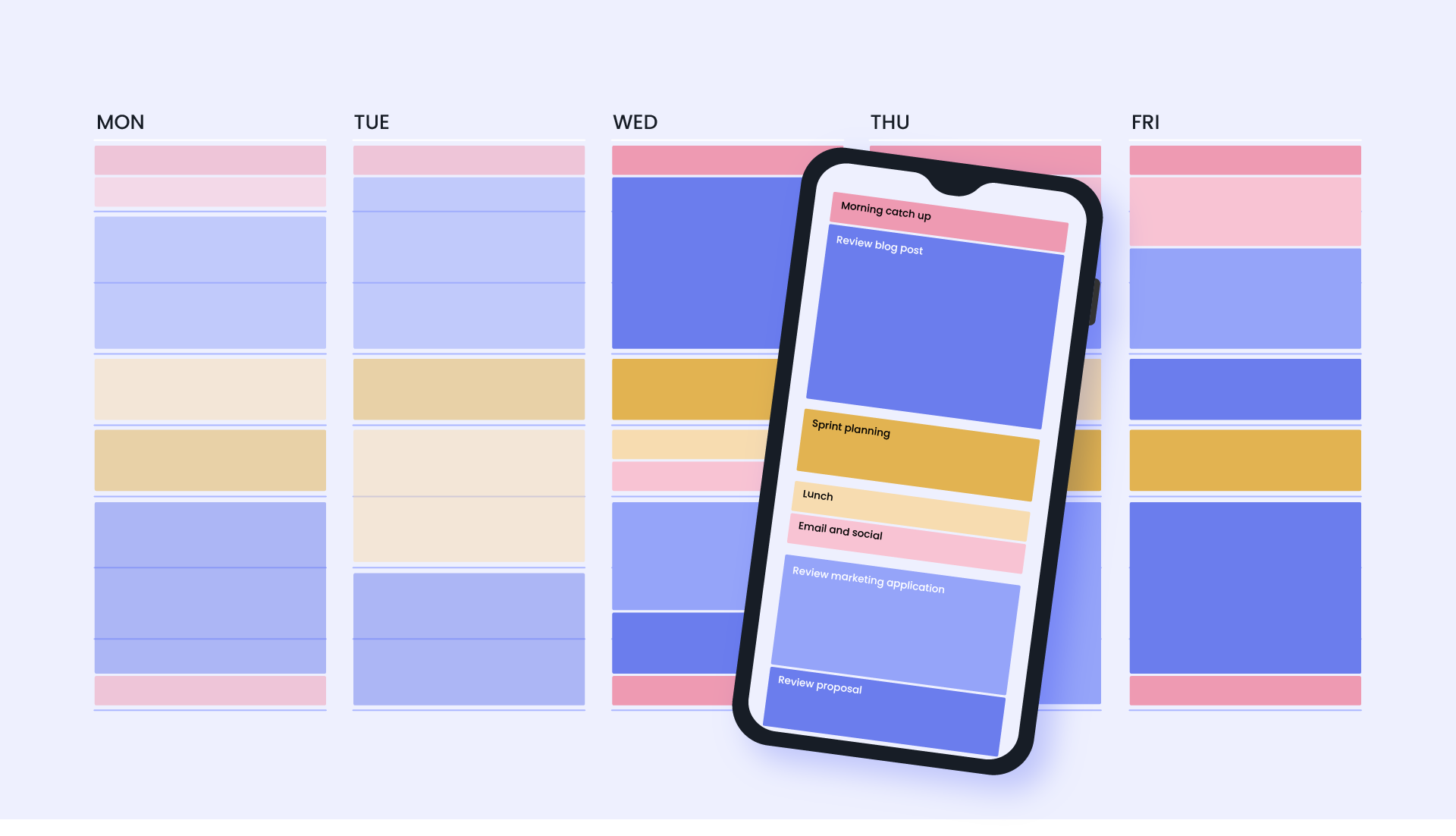
Reclaim works like an AI scheduling layer on top of your calendar and task systems. After you define priorities, boundaries, and preferences, it automatically schedules and defends time for Tasks, Focus Time, Habits, and Meetings – then keeps adjusting the plan as the week changes. In other words, you spend more effort defining rules, and less effort rebuilding the day.
Who each tool is built for
Akiflow works best for people who like hands-on daily planning. If your ideal workflow includes regular check-ins, dragging tasks into time blocks, and reshaping the day as you go, Akiflow’s “planner-first” model fits naturally.
Reclaim fits teams and individuals dealing with constant calendar pressure. It shines when meeting volume is high, schedules change frequently, or protecting deep work requires flexible, AI-powered automation that defends time for you, based on your priorities and weekly goals.
Scheduling philosophy: manual vs. automated planning
The biggest gap shows up in how each product turns tasks into time.
Akiflow’s approach: plan it yourself, with helpful structure
Akiflow prompts you to assign tasks into specific calendar slots. The experience is visual and flexible, so you can drag tasks around as priorities change. Because planning happens through direct placement, the system naturally reflects your intent – especially when you revisit the plan throughout the day.
What this looks like in practice:
- Your calendar becomes a living draft you refine.
- The “truth” of your day stays accurate when you update it.
- Your plan feels highly personal because you shape it directly.
Reclaim’s approach: set priorities & simple rules, automate forever
Reclaim schedules tasks, habits, meetings, and breaks for you automatically based on priority levels, deadlines, preferred working hours, and availability. When conflicts appear, the schedule adjusts in the background. This model reduces the daily overhead of “rebuilding the plan” and keeps your calendar aligned to the rules you set.
What this looks like in practice:
- Tasks land on the calendar around existing events, then keep moving to stay feasible.
- Focus Time fills to a weekly goal, then gets defended as meetings expand.
- Cancellations turn into reclaimed time, because flexible blocks can reflow into new openings.
Human-in-the-loop automation
Reclaim’s automation works because it keeps you in the loop. You simply create the AI-powered focus time, task scheduling, and meeting automation rules you need, and Reclaim optimizes your schedule, while alerting you through notifications around last-minute conflicts. This allows you to enjoy automation, without causing friction with your team when an important one-on-one meeting is moved at the last minute.
Here are some of Reclaim’s controls that keep you in charge:
- Priority levels for all events that define what moves, and what stays anchored.
- Working hours and personal boundaries that optimize your schedule.
- Task duration, deadlines, and scheduling preferences that shape the plan.
- AI-powered scheduling windows and frequencies for all events.
- Focus Time goals that drive how much deep work you defend each week.
- Habit windows that encode routines (workouts, lunch, planning, reading) into your calendar.
- AI-powered Scheduling Links that use your priority levels to surface more availability for urgent meetings over lower-priority events.
- Smart Meetings that automatically find the best time for recurring meetings with your team, driven by both attendees priorities and availability.
Akiflow delivers control differently – everything is controlled because there’s no true scheduling automation outside of actions you manually make. The plan improves as you invest attention into it. This “planner-first” approach appeals to people who want their calendar to reflect deliberate intent, because the system changes in response to the choices you make.
Akiflow’s control surface comes from a few planner-first building blocks:
- Time Slots for structuring an “ideal week”
Time Slots let you template your week with blocks for the types of work you do, then drop tasks into those blocks as you plan. Slots can recur, and recurring tasks can follow a recurring Slot pattern so routines stay consistent. - Recurring tasks for maintaining routines
When you edit a recurring task, Akiflow lets you apply changes to a single instance or the full series, which keeps routine updates clean during busy weeks. - Task fields that make manual scheduling fast
Tasks support the core metadata you need for hands-on planning (priority, deadlines, recurrence, projects, tags), and Aki can create/edit tasks using natural language. Akiflow also supports locking a task on the calendar and controlling its visibility (public/private/Busy). - Aki for quick replanning actions
Aki helps speed up planner workflows like creating/editing tasks and rescheduling tasks or time slots. Aki Workflows extend this with reminders and smart notifications tied to recurring tasks and events. - Goals for daily focus
Goals help you narrow to a small set of high-impact priorities (often framed as 2–3), then time-block around them. - Meeting links with guardrails
Akiflow’s Meeting Links support availability sharing with controls like buffer time, minimum notice, and max meetings per day to protect your schedule.
This fits Akiflow’s “manual-first” philosophy: you decide what you want to share, then you protect your day using scheduling conditions.
AI-powered tasks
Both tools help you get tasks out of scattered apps and into a plan, but they do it at different layers of the workflow: Akiflow centralizes and helps you plan, while Reclaim schedules and keeps the plan current.
With Akiflow, you capture everything into one inbox, then time-block it by hand.
Akiflow’s strength is fast consolidation. Its Inbox can automatically pull items in as tasks from connected tools like Slack, Gmail, Notion, ClickUp, Asana, and Todoist, so requests stop living in “the place you forgot to check.”
From there, Akiflow turns planning into a visual, hands-on process. You take tasks from the inbox and drag-and-drop them onto your calendar to build the day you want to run. That planner workflow also includes more specific capture paths. For example, Akiflow’s Gmail integration can import emails into your inbox based on signals like starring or labeling, so email requests become schedulable work.
With Reclaim, you convert tasks into defended calendar time, then maintain it as the week changes.
Reclaim starts where Akiflow’s manual step begins: it automatically schedules time for Tasks onto your calendar, framed as “defend time to get stuff done,” with support for task-tool integrations. The key difference is that task scheduling isn’t a one-time placement. Reclaim treats tasks as an objective (time required before a due date), and it continuously tries to protect enough time to complete them.
If you delete a scheduled task block on the calendar, Reclaim interprets that as “time still needed” and reschedules the time later rather than reducing the task’s total planned duration. Reclaim also uses Priorities to determine how tasks get placed around other events, along with availability and due dates.
What “automatic” means in practice:
- Priority-aware placement puts important work into safer parts of the week, instead of leaving it to the last open gaps.
- Conflict response happens through rescheduling, so a new meeting shifts flexible work into the next best window instead of breaking the plan.
- Plan continuity stays intact even when you make calendar edits, because the task remains a target and Reclaim keeps looking for time to finish it.
Focus Time automation
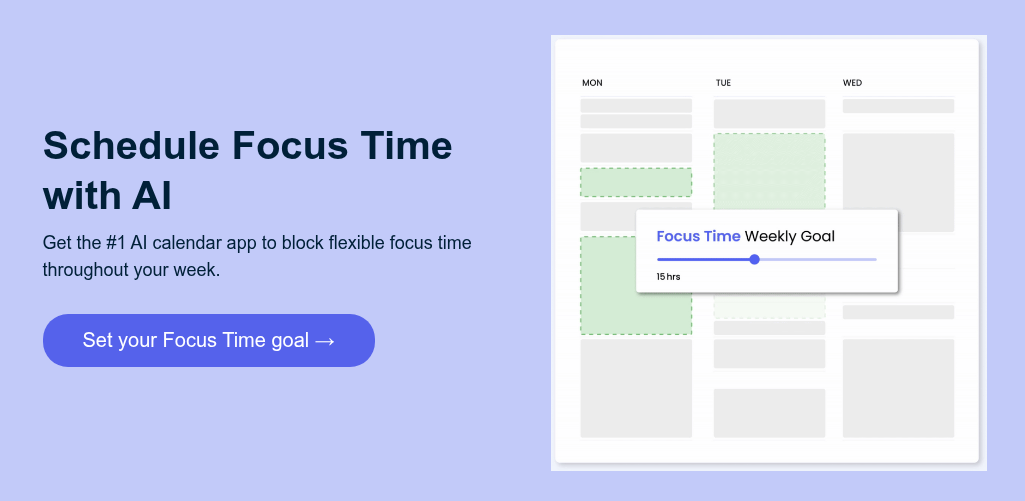
Reclaim treats Focus Time as a first-class “time defense” system, built to protect a weekly deep-work target even as meetings shift around. You start by setting a weekly Focus Time goal, then Reclaim schedules smart Focus blocks around your existing commitments so you consistently reclaim enough heads-down time to make progress.
Where it gets powerful is how Focus Time behaves once it’s on your calendar. Focus blocks flex to the next best slot when your week changes, so you stay on track toward your goal without having to rebuild your plan every day. When you manually move a Focus block, Reclaim treats that as intent and locks the block in place. When you delete a Focus block, Reclaim interprets it as a “skip” for that time range so the same slot stays open going forward.
Reclaim also lets you choose how proactive you want the system to be:
- Proactive mode gradually fills your week ahead of time to help you hit your weekly goal, with controls for ideal hours per day, daily maximums, and Focus block min/max durations.
- Reactive mode waits until your calendar starts filling up, then only schedules Focus blocks when you risk missing your goal, which keeps more meeting availability earlier in the week.
From there, you can tune Focus Time to fit how you actually work. Reclaim supports Focus scheduling hours, a target calendar, visibility settings, and optional auto-decline behavior so meeting invites that interrupt Focus can be declined automatically with a message to the organizer.
Focus Time also stays aligned with the rest of your plan. If you already schedule heads-down work through Reclaim Tasks and Habits, that time counts toward your Focus goal. Reclaim can also count Focus-labeled calendar events toward the goal, including events tagged with #focus.
For teams, Focus Time becomes easier to adopt consistently because admins can set a Team Focus Time recommendation that new teammates see when they join, helping establish a shared deep-work norm without extra setup.
Akiflow doesn’t provide a goal-based Focus Time engine that automatically blocks and defends deep work across the week like Reclaim does. Instead, it supports deep work through a planner-first workflow where you reserve time intentionally and keep it intact through manual updates as your schedule changes.
Time Slots are the core mechanic. They’re calendar “containers” you create to reserve blocks for specific kinds of work (deep work, admin, writing, planning), which helps you map an ideal week before you assign specific tasks. Time Slots can also recur, which makes it easy to keep a consistent deep-work rhythm week over week.
Routines stay consistent through recurrence rules. If you add tasks inside a recurring Slot, Akiflow supports matching the task’s recurrence to the Slot (“Copy the Slot recurrence”), so the task reliably shows up inside that same routine block. Editing the Slot’s date/time can also affect the tasks inside it, which helps you shift a routine without rebuilding it.
Time blocking becomes “real” when it’s locked to your calendar. Akiflow lets you lock a Time Slot to a specific calendar account, and tasks can also be locked to block time on your connected calendar. For locked tasks, you can choose visibility (public, private, or Busy) so your focus blocks appear the right way to others.
Execution mode is focused, not automated. When it’s time to do the work, Akiflow offers Focus Mode to work on one task at a time, with an option to “pin” a Slot for a wider view of what’s inside that focus block. It also includes a Focus Timer for timed focus sessions and breaks, helping you stay locked in while you work through scheduled tasks.
Akiflow gives you strong tools to plan and protect deep work through recurring blocks, locked time, and focused execution. Reclaim’s Focus Time is different because it’s automation-driven (weekly goal & scheduling behavior that defends that goal as the week shifts).
Rescheduling & conflict resolution: upkeep vs. autopilot
When your calendar changes mid-week, the real question becomes: who does the repair work: you, or the system? Akiflow and Reclaim answer that differently.
Akiflow is built around manual, visual replanning. When a new meeting lands or a task takes longer than expected, you reshape the day directly by moving time blocks and tasks in the calendar. Akiflow’s time blocking approach is designed for this: you organize work into dedicated blocks, then adjust those blocks as the day evolves.
A few mechanics make that “upkeep loop” faster and more controlled:
- Drag-and-drop planning keeps rescheduling simple because tasks live as movable blocks once you place them.
- Plan / unschedule actions let you pull a task off the calendar when the day collapses and push it back into a queue for later planning, then re-place it when time opens up.
- Lock / unlock controls give you a way to keep certain blocks steady while you shuffle everything around them.
- Aki rescheduling commands accelerate the same workflow with shortcuts. Akiflow explicitly notes that Aki can move tasks and even recurring time slots (including moving undone tasks with the slot), which is useful when you’re shifting a routine block to a new day.
However, compared to Reclaim, Akiflow doesn’t “repair” your plan in the background. The calendar stays accurate because you keep updating it. That’s ideal if you enjoy active planning, and it can become a maintenance loop in weeks with constant meeting churn.
Reclaim minimizes maintenance by treating rescheduling as an always-on system behavior. It automatically schedules and reschedules based on priorities and the rules you set, so conflicts trigger background adjustments rather than a manual rebuild.
A few details matter here, because they’re what make the “autopilot” feel predictable:
- Priority-based decisions drive what moves first and what stays anchored across task time, habits, Focus Time, and Smart Meetings.
- RSVP-aware behavior reduces accidental churn: Reclaim notes that if a Habit gets interrupted by a meeting invite, the Habit waits to move until you RSVP Yes or Maybe.
- Locks & auto-lock give you stability controls. You can lock events so they stop rescheduling, and Reclaim also supports automatic locking at the beginning of a day or week to reduce last-minute movement.
So, in practice, the schedule keeps repairing itself as meetings appear, cancel, or shift, and you step in mainly to set intent (priority, locks, preferences) rather than to manually re-place every block.
Habits, breaks, & buffers
Reclaim treats routines as smart, schedulable events on your calendar. Habits use your preferences, rules, and priorities to decide when they should land, and they automatically adjust when something else books over them. You still steer the system through lightweight actions, so a disrupted day doesn’t derail the routine.
- Habits reschedule when conflicts happen, rather than disappearing.
- Managing habit events stays simple in your native calendar and in Reclaim’s surfaces.
- Snooze/disable/delete controls give you clean ways to pause or adjust the habit system without messy cleanup.
On the realism side, Reclaim’s Buffer Time adds “breathing room” automatically (breaks, decompression, and travel time) so your calendar reflects how days actually work instead of stacking commitments back-to-back.
Akiflow supports routines through recurring structure and hands-on placement. Time Slots let you create repeatable blocks (deep work, admin, planning), then assign tasks into those blocks as you plan. Slots can recur, and recurring tasks can follow recurring Slots, which helps routine work show up in the same place week after week.
That said, Akiflow’s consistency comes from your planning discipline. Time Slots don’t behave like an automated “Habit engine” that re-finds time when the week gets disrupted – they stay reliable because you keep the plan current.
Recurring tasks reinforce the pattern. When you edit a recurring task, you can apply changes to a single instance or the entire series, which keeps routine maintenance straightforward. The limitation, compared to Reclaim, is that recurrence keeps a routine reappearing, but it doesn’t automatically defend the time or reschedule it around conflicts.
Akiflow’s Rituals support consistency through daily and weekly planning flows, so routines stay stable through a repeatable planning practice. This works well for planner-first users, and it also means the “resilience” comes from your habit of revisiting and reshaping the plan rather than background automation.
Meetings: AI-powered coordination vs. fixed availability
AI-powered meetings that save time
Reclaim approaches meeting scheduling as a live availability system. Scheduling Links reflect what’s actually happening on your calendar, and they can use priorities to surface more availability by showing lower-priority blocks as bookable when it’s worth taking an important meeting sooner. This is the core difference from “static availability”: you create the link once, then your availability stays aligned as the week changes, instead of rebuilding what you want to share each time.
Reclaim’s Scheduling Links also cover team workflows that usually create the most back-and-forth, including Team Links and Round Robin options so groups can coordinate without long email threads.
Akiflow treats meeting scheduling as an extension of its planner model. You generate a Meeting Link to share availability for one-off or recurring meetings, then protect your schedule with guardrails like buffer time, minimum notice, and a max number of meetings per day. Akiflow also supports link options like single-use vs multi-use and sending reminders to guests, which fits the “hands-on control” approach.
Compared to Reclaim, Akiflow’s meeting link flow is strongest when you want to decide what to share and keep your plan stable through your own planning discipline. Reclaim’s Scheduling Links are built for calendars that shift frequently, because they’re designed to keep availability current and priority-aware as your schedule evolves.
Smart Meetings for recurring scheduling
Reclaim’s Smart Meetings are designed for the recurring meeting problem: the meeting matters, but the “perfect time” changes week to week. Smart Meetings automatically schedule recurring meetings at the best time for all attendees, then auto-reschedule when conflicts show up (PTO, sick days, new meetings), using availability and priorities to find the next best slot for the group.
This is especially valuable for 1:1s and team syncs that tend to get displaced during busy weeks. Instead of recurring meetings silently degrading into “we’ll find time later,” the series stays healthy because the scheduler keeps doing the coordination work in the background.
Akiflow can support recurring meetings through Meeting Links that allow recurring bookings, plus calendar/planning workflows that help you place meetings where you want them.
Compared to Reclaim, Akiflow emphasizes booking and guardrails more than an AI system that continually re-finds the best time each cycle for a recurring meeting across attendees. That makes Akiflow a better match for fixed-availability planning, while Smart Meetings fit teams that want recurring meetings to stay on track through constant calendar change.
Calendar sync that actually syncs
If you use more than one calendar, “calendar sync” stops being a nice-to-have and becomes infrastructure. The difference is simple: does the tool just show you everything in one view, or does it actively protect your availability across accounts?
Reclaim’s Calendar Sync is designed to block events across calendars so you avoid double-booking and accidental overscheduling. It creates a synced copy that can be used to hold your time on the destination calendar – so coworkers and scheduling tools see you as busy even if the original commitment lives elsewhere.
A few details make this more than “just merging calendars”:
- Sync policies & directions: Calendar Sync works through policies you configure, including syncing in multiple directions when you need it (common for people juggling work + personal + consulting calendars).
- Privacy controls: The synced copy has its own privacy setting, which is the key to defending availability without oversharing personal details.
- Selective syncing: You can prevent specific events from syncing (for example with a tag), so Calendar Sync stays accurate without leaking details you never want replicated.
Reclaim is built for the “I have commitments in multiple places and need my availability protected everywhere” reality. The sync is doing active work on your behalf, not just giving you context.
Akiflow supports multi-calendar workflows by letting you connect calendars so you can see a merged schedule in one planner view. That’s valuable when your main pain is “I need everything in one place so I can time-block intelligently,” because you can see the full picture while planning your day.
Akiflow also supports two-way sync with the connected calendar provider in the sense that you can create, edit, and delete events in Akiflow and have them sync back to Google or Outlook.
However, unlike Reclaim, Akiflow’s multi-calendar strength is visibility & planning. It does not position itself as a system that automatically creates “busy blocking” copies across calendars to defend availability everywhere. In practice, staying conflict-free across accounts relies more on what you manually place and maintain in your plan.
Privacy & visibility controls
Privacy gets harder when scheduling is dynamic. The moment you start syncing calendars or auto-placing tasks and routines, the question becomes: does visibility stay consistent by default, or does it turn into ongoing per-event cleanup?
Reclaim’s privacy model is designed to stay consistent even when the system is actively moving pieces around your calendar. When you create a Task, you can set default visibility so new Task events follow a predictable rule – either private to others or aligned with your calendar’s default privacy – so you don’t have to remember to adjust each scheduled block after the fact.
Calendar Sync follows the same philosophy. Sync policies let you control how mirrored events appear on a destination calendar using “Commitment” labels (Work/Personal/Travel) or a more minimal Busy-style block, which lets you defend availability without exposing sensitive details.
So, as automation schedules and reschedules, privacy stays aligned to the defaults you chose, instead of becoming a series of manual visibility edits.
Akiflow supports privacy and visibility primarily through event-level controls, which fits its planner-first approach. When you lock a task onto your calendar, Akiflow lets you choose visibility settings like Public, Private, or Busy, with Busy explicitly designed to conceal the task title on the calendar.
Akiflow also separates two related concepts at the event layer: visibility (public/private) and availability (free/busy). That makes it possible to tune how an event appears and how it affects scheduling availability.
However, compared to Reclaim, the tradeoff is that Akiflow’s privacy tends to scale with how much manual planning you do. The controls are strong when you’re deliberately placing and locking time blocks, and they can create more repeated decisions when you’re time-blocking lots of tasks or frequently reshaping your week – especially since Akiflow users have requested more system-level defaults (like default visibility per calendar and clearer separation of Busy vs Private behaviors).
Analytics: personal insights vs. org-level visibility
Reclaim.ai treats analytics as a calendar-first system that helps you understand how time actually gets spent, then uses that visibility to support better planning. On individual plans, Time Tracking breaks down time across the building blocks Reclaim schedules and defends, including meetings, tasks, habits, and focus time, so you can see patterns like meeting load versus heads-down capacity.
On higher plans, Reclaim extends that same model to teams through People Analytics. The emphasis is workforce-style visibility that helps leaders spot trends across a group, including how focus time, meetings, and work-life balance indicators are shifting, so they can adjust norms and support healthier schedules at scale.
Akiflow approaches analytics from the planner side. Its Stats feature focuses on personal review and reflection, aimed at helping you understand how you allocated your time and use that insight to plan better going forward.
Compared to Reclaim’s org-level lens, Akiflow’s analytics are best framed as individual productivity visibility that complements a hands-on planning workflow. That makes Stats a strong fit for solo users optimizing their own routines, while Reclaim’s analytics story expands into team-wide scheduling health and operational patterns on advanced tiers.
Integrations: aggregation hub vs. optimization layer
Integrations look similar at first glance in both products, because both connect to the same ecosystem of calendars, task tools, and communication apps. The difference is what those connections do once they’re turned on: Akiflow uses integrations to centralize inputs into one planning space, while Reclaim.ai uses integrations to turn those inputs into continuously maintained time on the calendar.
Akiflow’s integrations are designed to pull assignments, messages, and tasks from across your stack into a universal inbox, then let you plan and time-block them manually inside Akiflow. That’s why the integration set leans heavily toward “where work shows up,” such as email and chat (Gmail, Outlook Email, Slack, Microsoft Teams), knowledge/tools (Notion), and project/task systems (Asana, Linear, Jira, Trello, GitHub, ClickUp, Todoist, Microsoft To Do).
In practice, these integrations primarily strengthen three planner-first workflows:
- Capture & triage: tasks from different tools land in one place so you can process them in a single daily planning flow.
- Manual time blocking: once tasks are in Akiflow, you place them into time blocks and adjust as your day shifts.
Two-way updates on some task tools: several integrations support two-way sync behaviors so changes can flow both directions (Akiflow + Asana and Akiflow + Todoist both describe two-way sync).
Akiflow’s integrations typically stop at “bring the work in and keep it updated.” The calendar layer stays planner-driven, which means the system doesn’t continuously optimize and defend time for that work without your placement and upkeep.
Reclaim’s integrations are built around what happens after a task exists: converting that work into defended calendar time and keeping it current as meetings and priorities shift. Reclaim’s task integrations are explicitly positioned as ways to sync tasks from systems like Todoist, Asana, ClickUp, Linear, Jira, and Google Tasks so Reclaim can schedule them onto your calendar by priority and before due dates.
Reclaim also invests in “where teams live” integrations that reinforce calendar execution rather than just task capture:
- Slack integration: manage schedule, create tasks, access scheduling links, and keep Slack status aligned with calendar context.
- Zoom integration: supports meeting-link and status-related workflows tied into calendar & Slack behavior.
Reclaim’s integrations are designed to preserve outcomes when the week changes. The connections exist so the system can keep scheduling decisions up to date automatically, rather than requiring you to re-place work blocks each time the calendar shifts.
Pricing, trials, & total cost
Akiflow pricing
Akiflow uses a straightforward paid-only model with two billing options:
- Pro Monthly: $34/month (billed monthly)
- Pro Yearly: $19/month (billed yearly)
Akiflow positions this as “everything included” pricing (unlimited integrations, tasks, meetings, plus Aki and a 1:1 coaching call) rather than tiering features behind multiple plans.
For trials, Akiflow advertises a 7-day free trial.
Reclaim.ai pricing
Reclaim uses a freemium, per-seat model that’s intentionally designed for low-friction pilots and team scaling.
- Free plan: free forever (1 user) with limited Scheduling Links/Habits/Calendar Sync and limited integrations
- Starter: $10/seat/month (annual pricing view) and includes expanded scheduling range, unlimited Focus Time/Habits/Calendar Sync, more links & Smart Meetings, plus People Analytics & Time Tracking
- Business: $15/seat/month (annual pricing view) with larger seat limits and more advanced org/team capabilities
Reclaim.ai also offers a no-commitment 14-day trial that unlocks paid features, and if you don’t upgrade, the account rolls into the free Lite plan (you aren’t charged unless you choose to upgrade). Reclaim’s pricing also includes Attendee Users (AUs) for certain Smart Meetings scenarios (3+ people), which is meant to support rollout without requiring every meeting participant to hold a full paid seat.
Why teams pick Reclaim on price
- Lower-friction evaluation: Reclaim.ai has a free plan and a 14-day trial that doesn’t auto-charge unless you upgrade, which reduces procurement friction for pilots.
- Scaling economics: Per-seat tiers are built to expand from individual use into teams, with team analytics and team scheduling features unlocking as you move up plans.
- More predictable spend: Akiflow is simple (one paid product, two billing cadences). Reclaim’s cost is also predictable in a different way: it’s tiered by seat and capability, which helps match spend to team size and the depth of automation you actually need.
Which AI calendar should you choose?
Choose Akiflow if:
- You enjoy hands-on planning and you want your calendar to reflect deliberate daily decisions.
- You want one inbox that centralizes tasks and requests from across your tools.
- You prefer manual time blocking and visual replanning as the week evolves.
- You build routines through recurring structure and planning rituals, then keep them steady through upkeep.
- You want booking links with guardrails, with availability you choose to share intentionally.
- You mainly need personal productivity reflection rather than team-level scheduling visibility.
- You’re comfortable with a paid-only model for an all-in planner experience.
Choose Reclaim if:
- You want a calendar-first AI layer that enhances Google Calendar or Outlook without replacing your existing tools.
- You need Focus Time automation that defends a weekly deep-work goal as meetings shift.
- You want priority-aware scheduling across tasks, habits, focus time, meetings, and buffers that adapts continuously.
- You want recurring meetings to stay healthy via Smart Meetings that keep finding the best time each cycle.
- You want Scheduling Links that stay current and can surface availability using priority logic.
- You rely on multi-calendar life and want availability protected across accounts through bi-directional sync plus privacy defaults.
- You care about analytics that extend from personal insights into team/org visibility on higher tiers.
- You prefer low-friction pilots with a free plan and per-seat scaling.
Make time feel human again
If your calendar feels like it’s running you, it’s probably time to change that. Reclaim helps teams turn chaos into rhythm – protecting deep work, keeping meetings purposeful, and giving your week room to breathe. It’s not about doing more: it’s about making space for what matters.
Every focus block defended, every meeting automatically handled, every routine protected – it all adds up. Less friction. Fewer pings. More time back for actual work (and life outside it).
Ready to feel in control of your week again?
👉 Create your free Reclaim.ai account
Productivity Trends Reports